Relay
Design summary
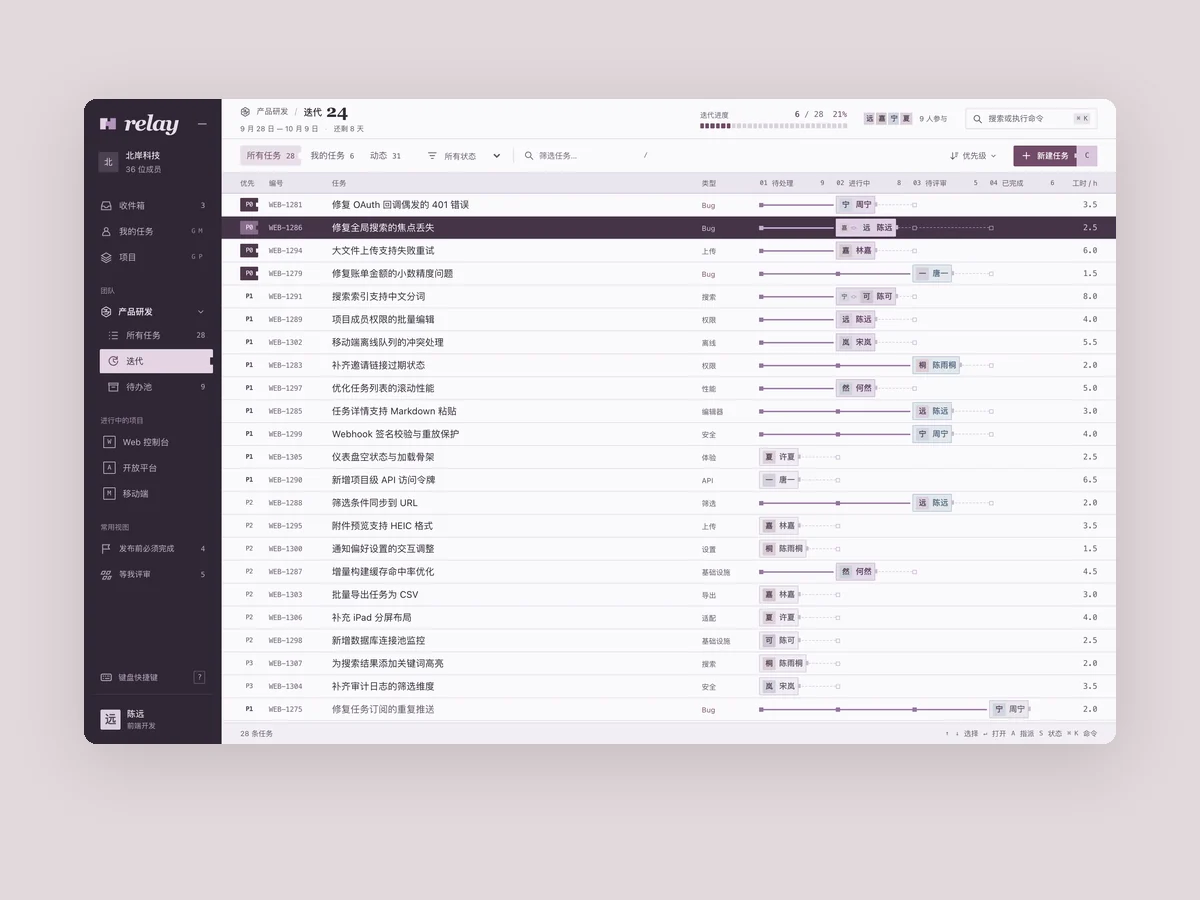
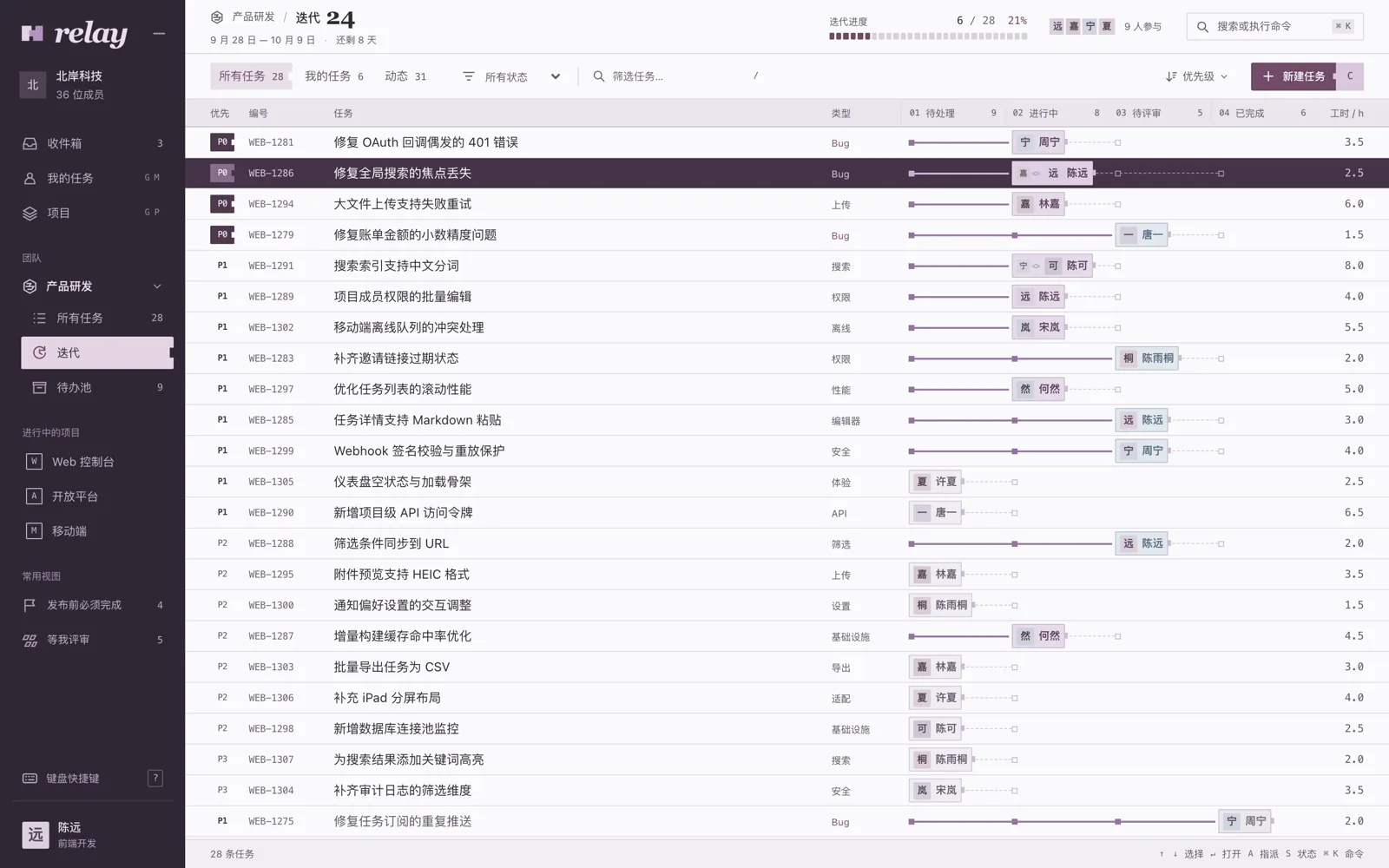
Relay is a high-density task and sprint workspace for software teams of 20–200 people, using a four-stage relay track to show progress and the current owner. A cool silver-lilac work surface and dark-berry navigation frame compact task rows, details, and keyboard commands.
Verification
VerifiedBrowser walkthroughs completed search filtering, ownership handoff, status advancement, and task creation, then rechecked undo, a second keyboard path, and handoff at 390×844.
Verification boundaryThat walkthrough still found that the default status command preselected In Progress for a review-ready task, and that the palette’s A hint was easy to misread; real multiplayer sync and cross-device persistence were not tested.
Prompt
Product: Relay, a task and sprint management tool for software teams of 20–200 people.
Build its main workspace (1440×900):
- Left navigation for teams, projects, my tasks, and inbox. In the center, show the current sprint as a task list or board. Tasks have an ID, title, status, priority, assignee avatar, and estimate. Use plenty of realistic data: twenty to thirty tasks with names that sound like actual software development work.
- Feel: dark, refined, and dense, like a professional tool used eight hours a day. Keep rows compact, keyboard shortcuts visible throughout, and status icons consistent and recognizable.
- Make the keyboard command palette memorable. A shortcut opens it, and a few typed characters let users navigate, change a status, or assign someone. Capture it open with a query being typed.
- Also capture a task detail sidebar open.
View Chinese original
产品:「Relay」,一个给 20–200 人软件团队用的任务和迭代管理工具。
做它的主工作界面(1440×900):
- 左侧导航(团队、项目、我的任务、收件箱),中间是当前迭代的任务列表或看板,任务有编号、标题、状态、优先级、负责人头像、预计时间。数据要多、要真实(二三十条任务,名字像真实的软件开发任务)。
- 气质:深色、精致、高密度,像每天用 8 小时的专业工具。行高紧凑、键盘快捷键随处可见、状态图标统一且有辨识度。
- 记忆点:按下快捷键弹出的命令面板,输入几个字就能跳转、改状态、指派人。截一张命令面板打开、正在输入的状态。
- 再截一张任务详情侧栏打开的状态。