
Refreshing Existing Project UI & Fixing Clunky Flows Without Breaking Logic
Generating a greenfield demo from scratch is easy; renovating a live production app without breaking API contracts, form validation or URL state is where most AI prompts fail. A reliable UI refresh locks down business invariants first, picks the right renovation depth for the problem, verifies the flow by counting clicks, and extracts a DESIGN.md from the flagship screen before rolling changes across the app.
Key takeaways
- List non-negotiable business behaviors up front: API payloads, route params, permission checks and form handlers that must stay intact.
- Match renovation depth to the problem: Tier 1 tidies visual noise, Tier 2 upgrades layout and missing states, and Tier 3 reworks clunky multi-step flows.
- Measure usability improvements by walking the real task and counting clicks—cutting a six-click modal chain down to two direct actions beats a cosmetic reskin.
- Once your flagship page passes review, codify its tokens, typography and spacing into DESIGN.md so sibling pages stay consistent.
npx github:oil-oil/oil-cli install oil-ui-proTo try basic direction boards and anti-slop cleanup on a single screen first, run npx skills add oil-oil/oil-ui for the free skill.
Three Tiers of UI Renovation: Choose Your Blast Radius
Teams often hesitate to let an coding agent touch production views because a vague prompt like "make this page look nicer" can scramble component props or delete working filters. In Oil UI (and specifically the existing-project workflow in Oil UI Pro), renovations are separated into three explicit tiers:
| Tier | When to use it | What changes | What stays untouched |
|---|---|---|---|
| Tier 1: Tidy up visual noise | The flow works, but borders, font sizes, spacing and colors feel cluttered or dated | Typographic scale, border subtraction, alignment, color restraint and card cleanup | DOM structure, routes, state hooks and every interaction flow |
| Tier 2: Upgrade layout & states | Visual hierarchy is flat, key actions are buried, or loading/empty/error states are missing | Section hierarchy, multi-column proportions, responsive breakpoints and complete UI states | Backend API contracts, business logic and cross-page navigation |
| Tier 3: Rework clunky flows & extract DESIGN.md | Users click through stacked modals or fragmented screens to finish basic tasks | Step consolidation, inline editing, flagship screen redesign and repository-wide DESIGN.md | Underlying domain model and data integrity rules |
Four Steps to Renovate a Live Application Safely
Whether you are refreshing a contract review app (like MOQI in the gallery), a sprint tracker (Relay), an email client (Post) or a checkout flow (Pinch Checkout), follow a controlled sequence:
Capture the current screen and run an annotated diagnosis
Have the agent screenshot the running page first and list numbered visual and interaction defects (for example: three primary-colored buttons competing in the header, a 12-column table clipping at 1280px, or raw alert boxes on error).
Renovate one flagship screen first
Do not touch twenty routes at once. Pick the single screen where users spend the most time, compare 2 to 3 renovation directions with real data, and lock in the winner.
Walk the complete user task and count clicks
Click and type through the real flow in the browser—filtering, submitting, triggering a validation error and recovering. Confirm that high-frequency tasks take fewer steps than before.
Extract DESIGN.md and roll out to sibling pages
Once the flagship screen passes visual review, have the agent write its surface palette, type scale, table density and anti-slop rules to DESIGN.md, then apply that spec across the rest of the app.
Prompt Template for Renovating an Existing Screen
Use this structure in Claude Code, Codex or Cursor to upgrade a live view while protecting your application logic:
Use Oil UI to renovate [route or component path, e.g., app/billing/page.tsx] in this project.
- Behavior to preserve strictly: Keep all existing [data queries, URL filter params, form validation rules and submit/export handlers] intact. Do not remove any domain fields.
- Current problems to fix: [e.g., every section looks like an identical bordered card; table columns wrap awkwardly; empty filter and failed payment states are missing].
- Renovation tier: [Choose: Tier 1 tidy up noise / Tier 2 upgrade layout & states / Tier 3 rework flow & extract DESIGN.md].
Start by capturing and diagnosing the current live screen, propose directions, and verify the finished page at 1440×900 and 390×844.
Listing preserved behaviors in the first bullet prevents accidental regressions.
Working gallery examples & prompts
Open the live demos at 1440px or 390px to inspect how the model and prompt shaped the final interface.
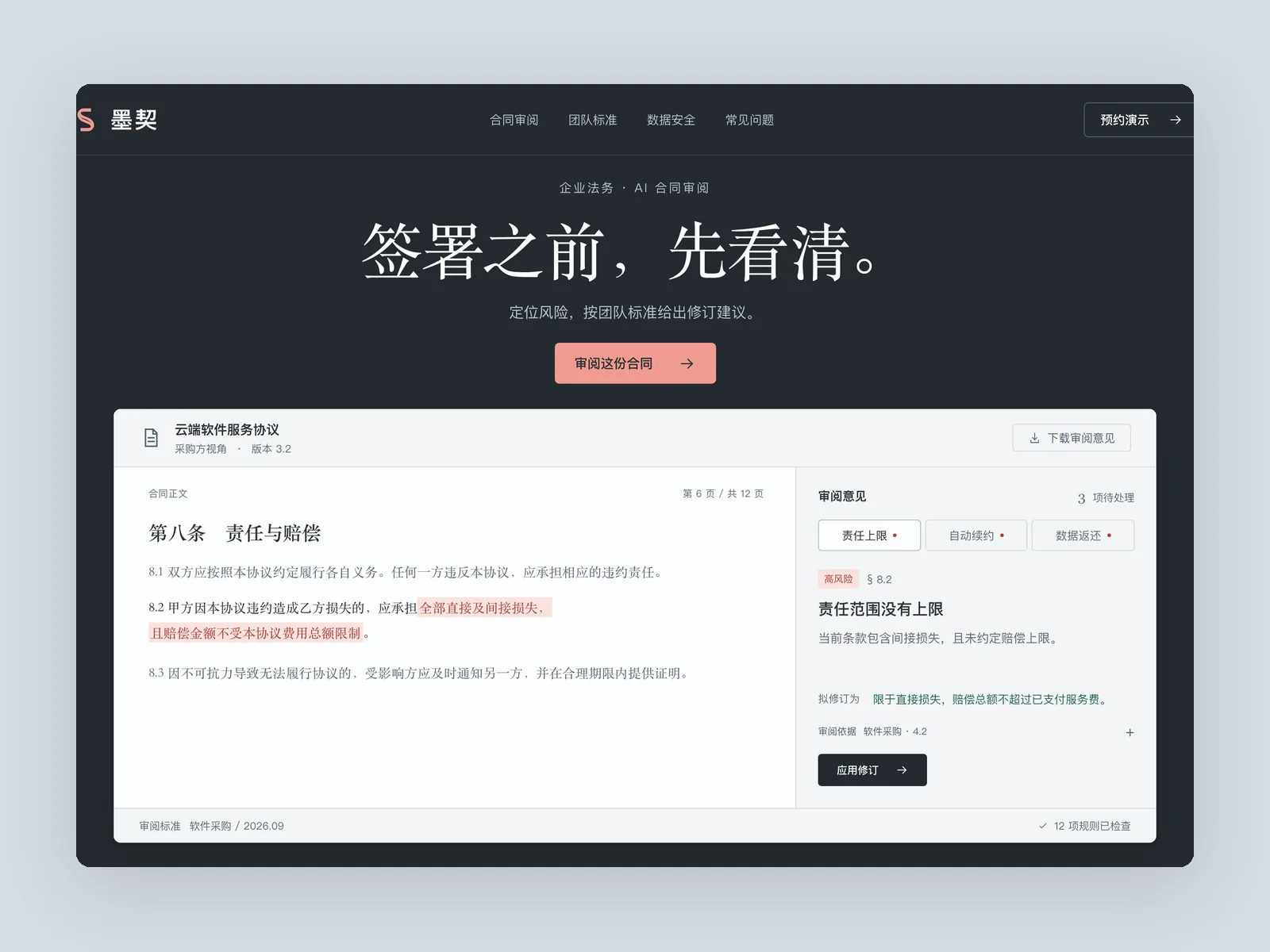
MOQI
AI contract review website
A website for an AI contract review product for in-house legal teams. Build the homepage.
Inspect work & prompt →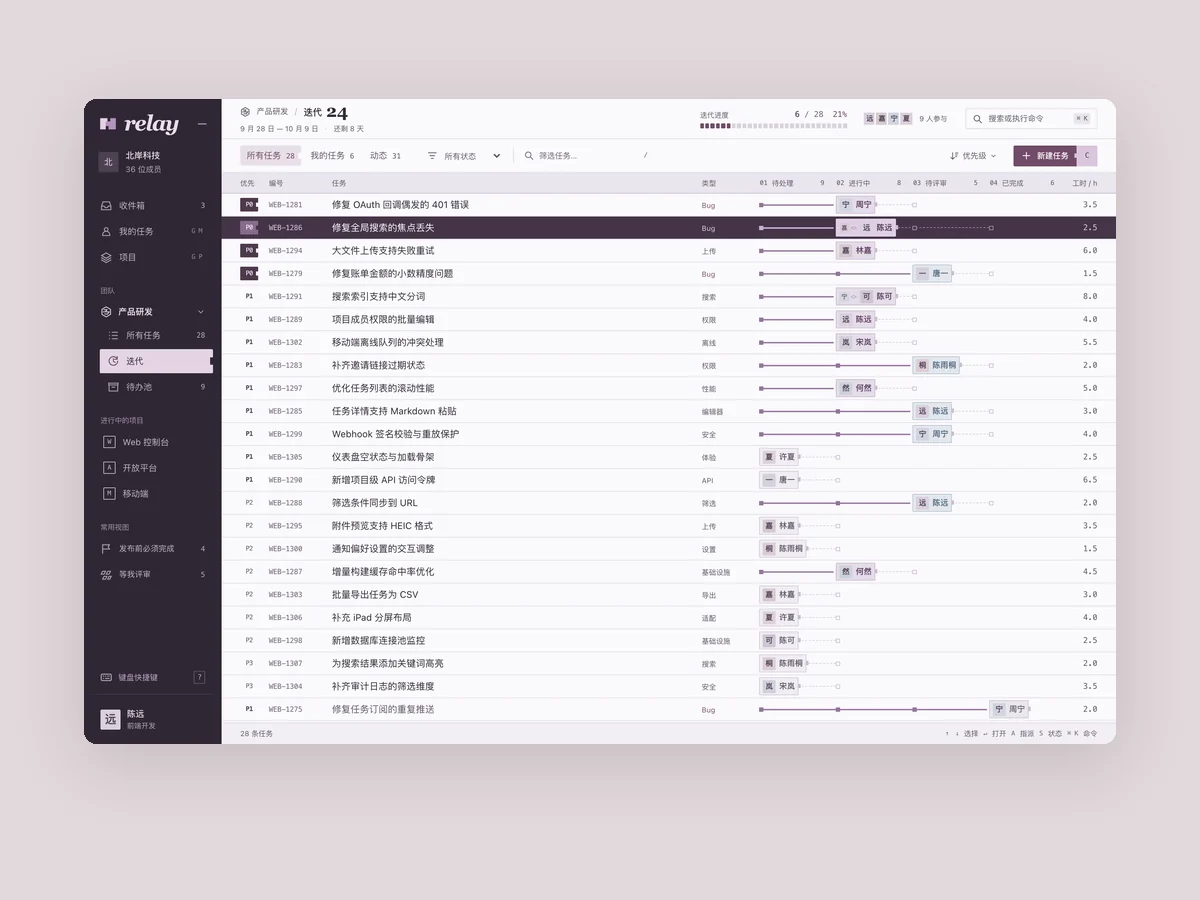
Relay
Project and sprint management
Product: Relay, a task and sprint management tool for software teams of 20–200 people. Build its main workspace (1440×900): - Left navigation for teams, projects, my tasks, and inbox. In the center, show the current sprint as a task list or board. Tasks have an ID, title, status, priority, assignee avatar, and estimate. Use plenty of realistic data: twenty to thirty tasks with names that sound like actual software development work. - Feel: dark, refined, and dense, like a professional tool used eight hours a day. Keep rows compact, keyboard shortcuts visible throughout, and status icons consistent and recognizable. - Make the keyboard command palette memorable. A shortcut opens it, and a few typed characters let users navigate, change a status, or assign someone. Capture it open with a query being typed. - Also capture a task detail sidebar open.
Inspect work & prompt →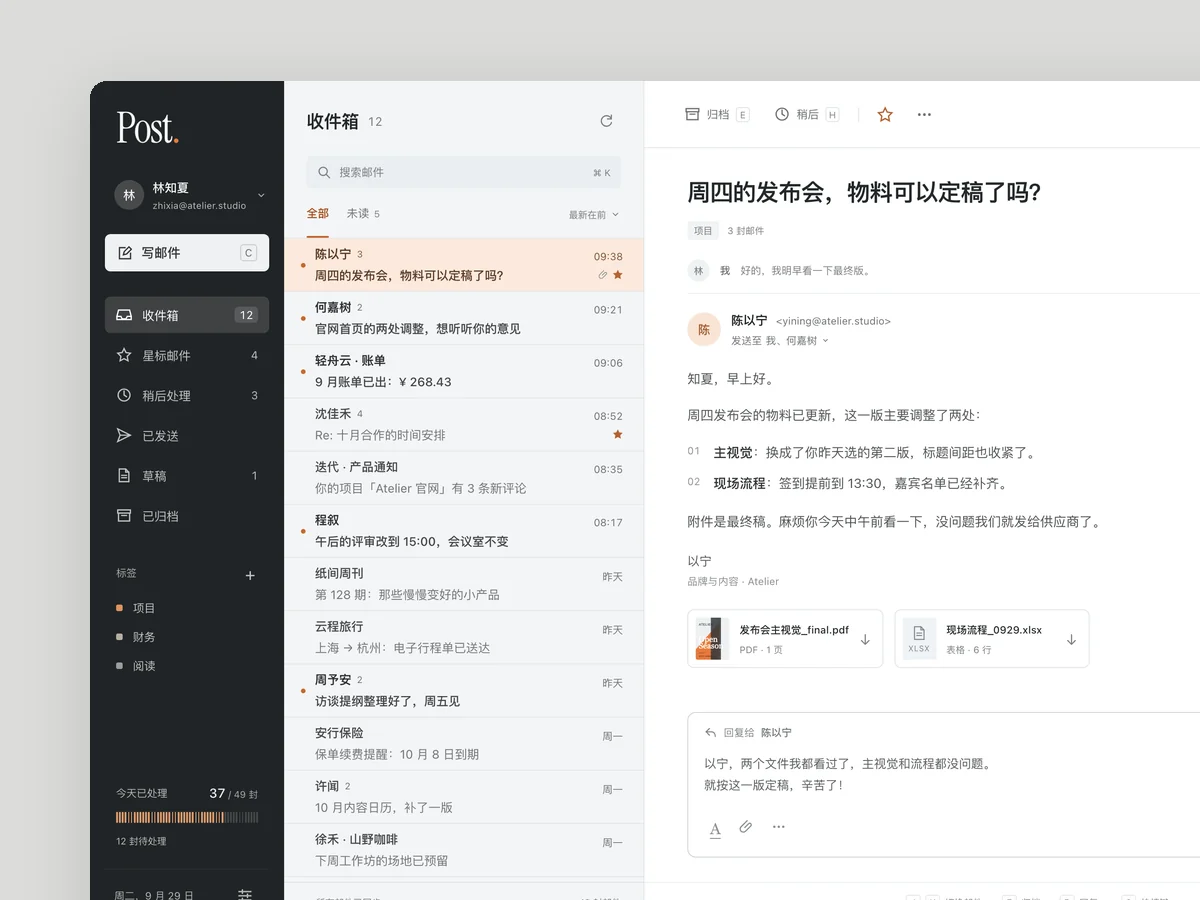
Post
Email client
Product: Post, an email client for people who handle hundreds of emails a day. Build its main interface (1440×900): an inbox, an open email, and a quick reply. Use realistic email content, mixing work correspondence, bills, and notifications. Give clearing the inbox a distinctive feel: for example, a processed email slides away immediately and the count drops. Also capture a screenshot of the empty inbox state.
Inspect work & prompt →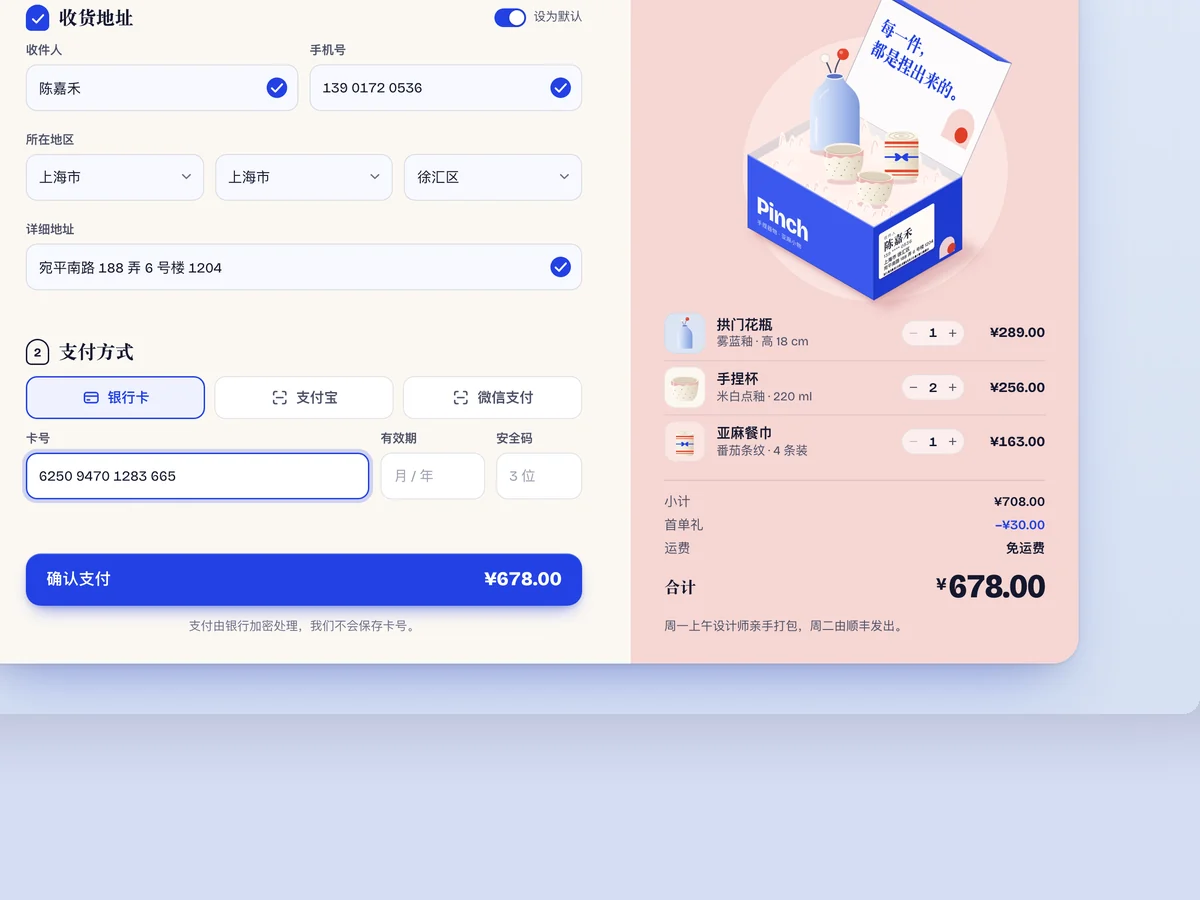
Pinch Checkout
E-commerce checkout module
A checkout module for an independent designer brand's online store (desktop 1440×900, checkout panel centered): shopping list, shipping address, payment method, and order confirmation. Each step should flow smoothly, with clear states for every input: being filled in, invalid, and completed. Order completion should feel joyful, beyond merely showing a checkmark. Capture three states: filling in the form, a validation error, and a successful order.
Inspect work & prompt →Get the full Existing-Project Renovation toolkit in Oil UI Pro
Oil UI Pro includes single-page annotated screenshot diagnosis, the 3-tier renovation workflow, click-counted task walkthroughs and DESIGN.md extraction for multi-page consistency.
npx github:oil-oil/oil-cli install oil-ui-proCommon questions
Should I define global CSS tokens first or renovate one real screen first?
Renovate one representative screen first. Abstract token files written in a vacuum rarely survive contact with real table density and form states. Perfecting one flagship screen with real data makes extracting accurate tokens into DESIGN.md straightforward.
Can I renovate a legacy app incrementally without rewriting third-party widgets?
Yes. A Tier 1 or Tier 2 pass can reorganize the page grid, typography, spacing and surrounding states while leaving complex embedded widgets untouched until you are ready to replace them.
How do I verify that a redesign actually improved usability?
Check two things: first, blur the text to confirm the primary action and exception states stand out structurally; second, complete the main user task in the browser and verify that click count, scroll hunting and error recovery are faster than before.
Where does DESIGN.md live once extracted?
Keep DESIGN.md in your repository root or docs/ folder. Whenever you or a teammate build a new feature in Claude Code, Codex or Cursor, point the agent to DESIGN.md so new screens match the established system.