
4 UI Design Skills Tested: 15 Runs, One Model, Anonymous Visual Reviews
Using kimi-1021-preview in Kimi AgentSwarm, we ran the same CommonShelf tool-directory brief three times for each of four pinned UI design Skills and a no-Skill control: 15 runs in total. Functional acceptance passed 13 runs and failed two, both in the control. Visual averages were Oil UI 87.0, frontend-design 88.0, UI UX Pro Max 86.7, Impeccable 88.0 and no Skill 84.3. If you are choosing a UI design Skill and care about catalog hierarchy, mobile actions, motion and functional reliability, use the demos and failure details below to compare them; the conclusions cover only this brief and model.
Key takeaways
- All four Skill versions were pinned before generation. Every run used a fresh agent in a new workspace and produced one direction; weaker results were not replaced.
- Both functional failures occurred at exact Toast text assertions in the no-Skill control; neither establishes a total persistence failure.
- Oil UI run-3 passed 6/6 functional scenarios, yet repeated card animations from transparency left several state captures almost blank; its visual score was 83.
Task and versions: one CommonShelf brief
CommonShelf is a personal tool directory with no account flow. The brief supplies six fixed tool records and requires plain HTML, CSS and JavaScript implementations of search, category and saved-state filters, tool saving, a validated suggestion form and a keyboard-operable FAQ. Except for a user-activated official tool link, the page makes no external runtime requests. Each agent delivers one direction rather than generating several and picking one.
Each Skill condition reads only its assigned SKILL.md once; the control reads none. Versions are pinned before generation, not replaced by global or paid editions, and licenses are listed with the sources.
| Condition | Pinned version | License |
|---|---|---|
| Oil UI open source | 0.24.2 (tag v0.24.2) | MIT |
| frontend-design | commit-dbd4588f9e1033efb41dad4bef2f7947c8993d44 | Apache-2.0 |
| UI UX Pro Max | 2.15.0 (tag v2.15.0) | MIT |
| Impeccable | 4.7.0 (tag skill-v4.7.0) | Apache-2.0 |
| No Skill control | No upstream Skill or version | No upstream license supplied |
Method: 15 independent generations, with functional and visual evidence kept separate
Every generation used a fresh agent in Kimi AgentSwarm with kimi-1021-preview and thinking effort set to max. Conditions could run in parallel, but run-1, run-2 and run-3 within each condition ran sequentially. Each run started in a new workspace, could not read another run’s pages, screenshots or conversation, and did not replace weaker output. Scheduling and recovery affect elapsed time, so time was not compared.
After generation, an independent Playwright 1.64.1 runner checked six scenario groups in Chromium: desktop baseline, mobile baseline, interaction and persistence, content unavailable, storage unavailable and reduced motion, at 1440×900 and 390×844. Acceptance did not feed fixes back into the generated artifact, and visual scores were not treated as functional passes.
Visual review used 15 anonymized packets with condition identities and generation-process records withheld, while runtime files, screenshots and acceptance status remained available. Each packet received one review. Six dimension scores were summed for every run, then averaged across the three runs; the dimensions total 100, with no extra weighting or high-scoring run selected to represent the others.
| Dimension | Maximum |
|---|---|
| Visual hierarchy and readability | 20 |
| Product fit and originality | 20 |
| Responsive behavior | 15 |
| Interaction and state feedback | 20 |
| Accessibility | 15 |
| Detail and motion | 10 |
Results: every run score and functional outcome
All 15 generations and anonymous visual reviews were completed; functional acceptance passed 13 runs and failed two. Averages divide the three-run sum by three and are shown to one decimal place, so UI UX Pro Max is 260/3 and no Skill is 253/3. The public JSON contains every six-dimension score, functional outcome and public asset URL.
| Condition | run-1 | run-2 | run-3 | Three-run sum | Average | Functional |
|---|---|---|---|---|---|---|
| Oil UI open source | 88 · passed | 90 · passed | 83 · passed | 261/300 | 87.0 | 3/3 passed |
| frontend-design | 87 · passed | 87 · passed | 90 · passed | 264/300 | 88.0 | 3/3 passed |
| UI UX Pro Max | 86 · passed | 88 · passed | 86 · passed | 260/300 | 86.7 | 3/3 passed |
| Impeccable | 88 · passed | 87 · passed | 89 · passed | 264/300 | 88.0 | 3/3 passed |
| No Skill control | 83 · failed | 86 · passed | 84 · failed | 253/300 | 84.3 | 1/3 passed, 2 failed |
Oil UI open source 0.24.2: 87.0, with run-3 losing points for repeated transparency
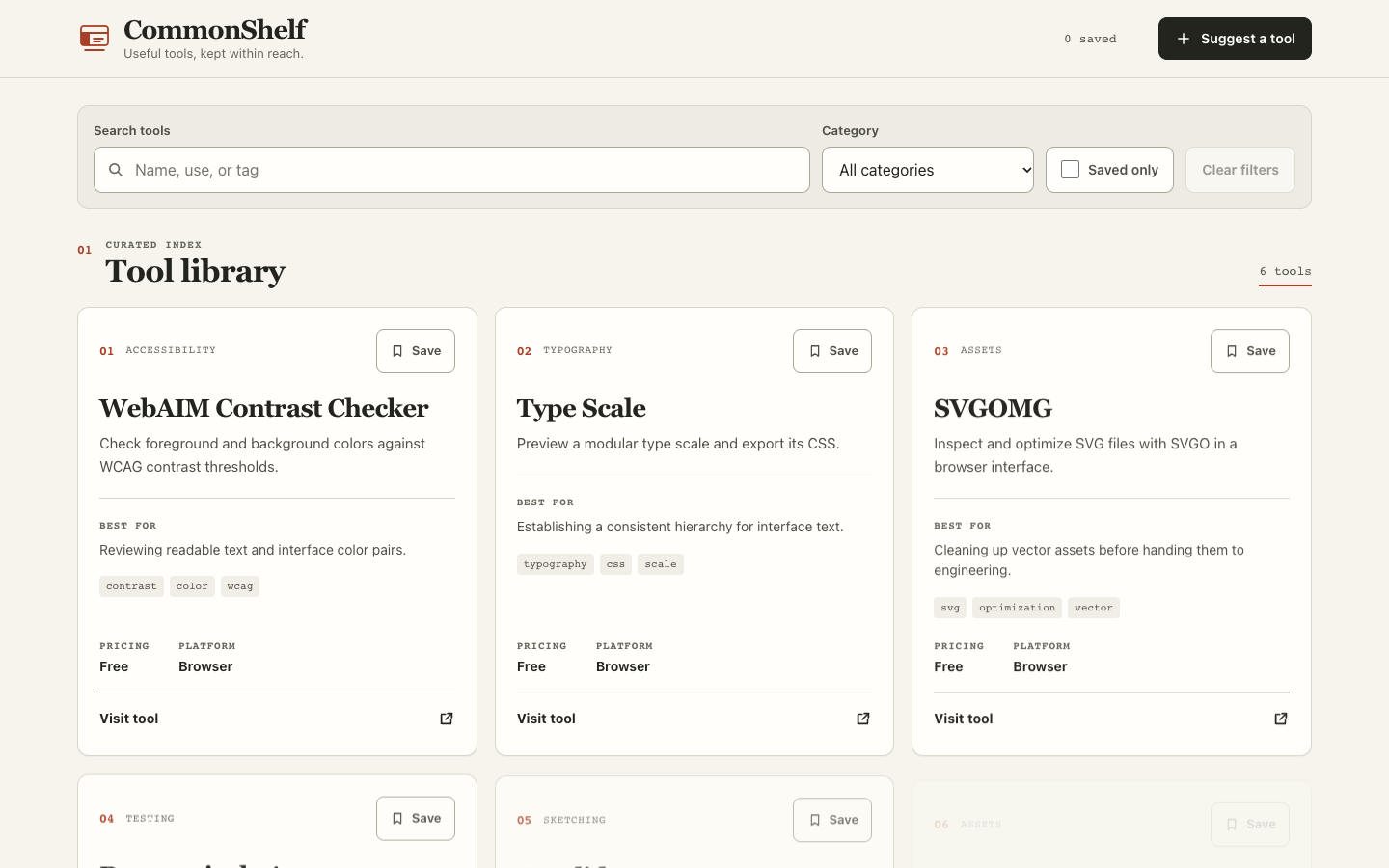
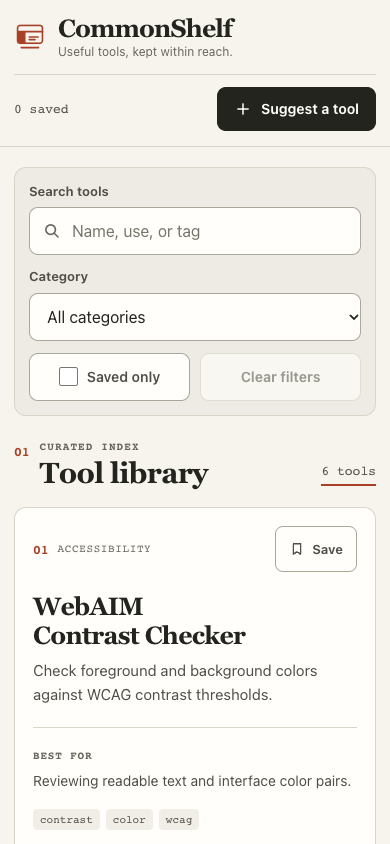
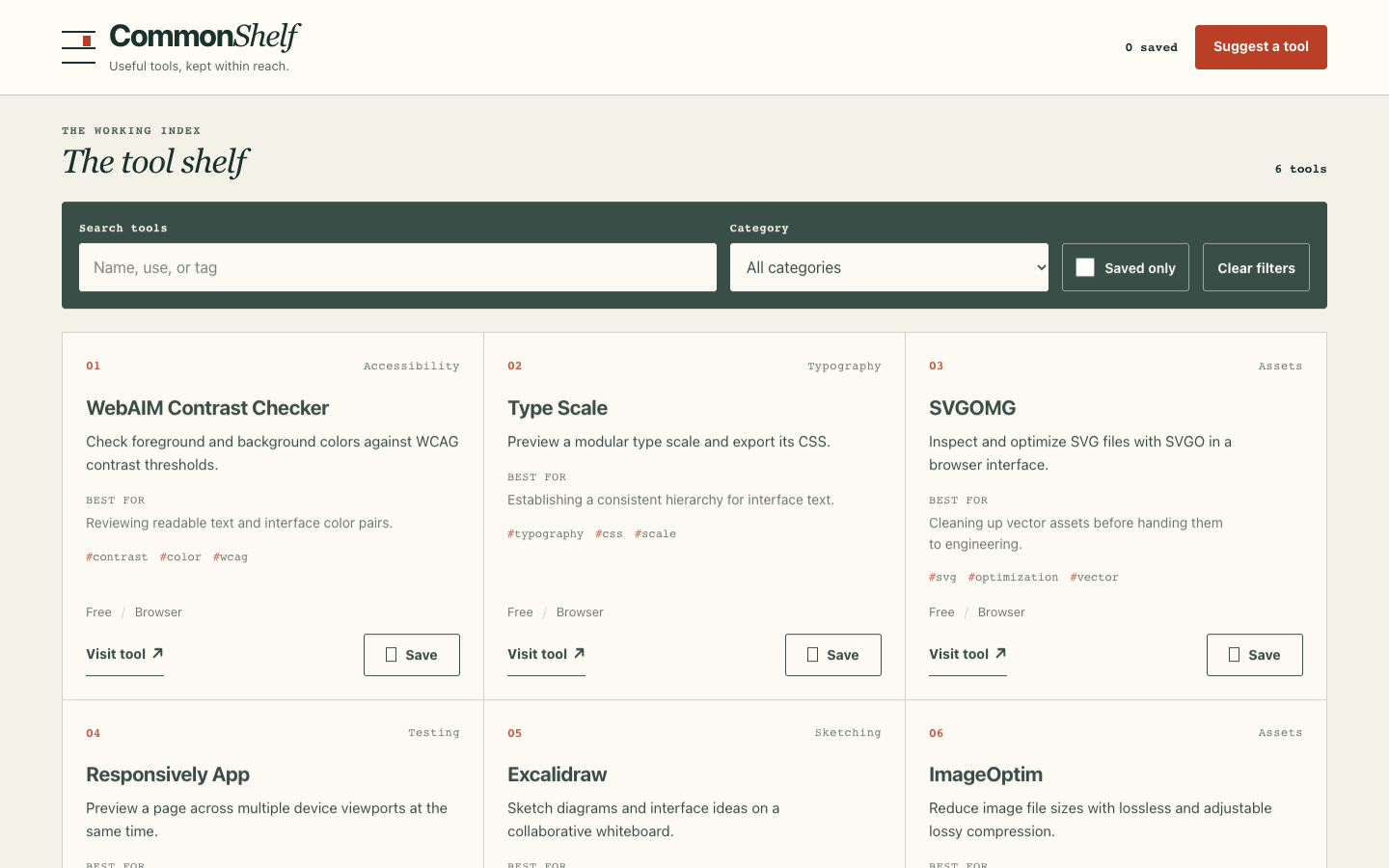
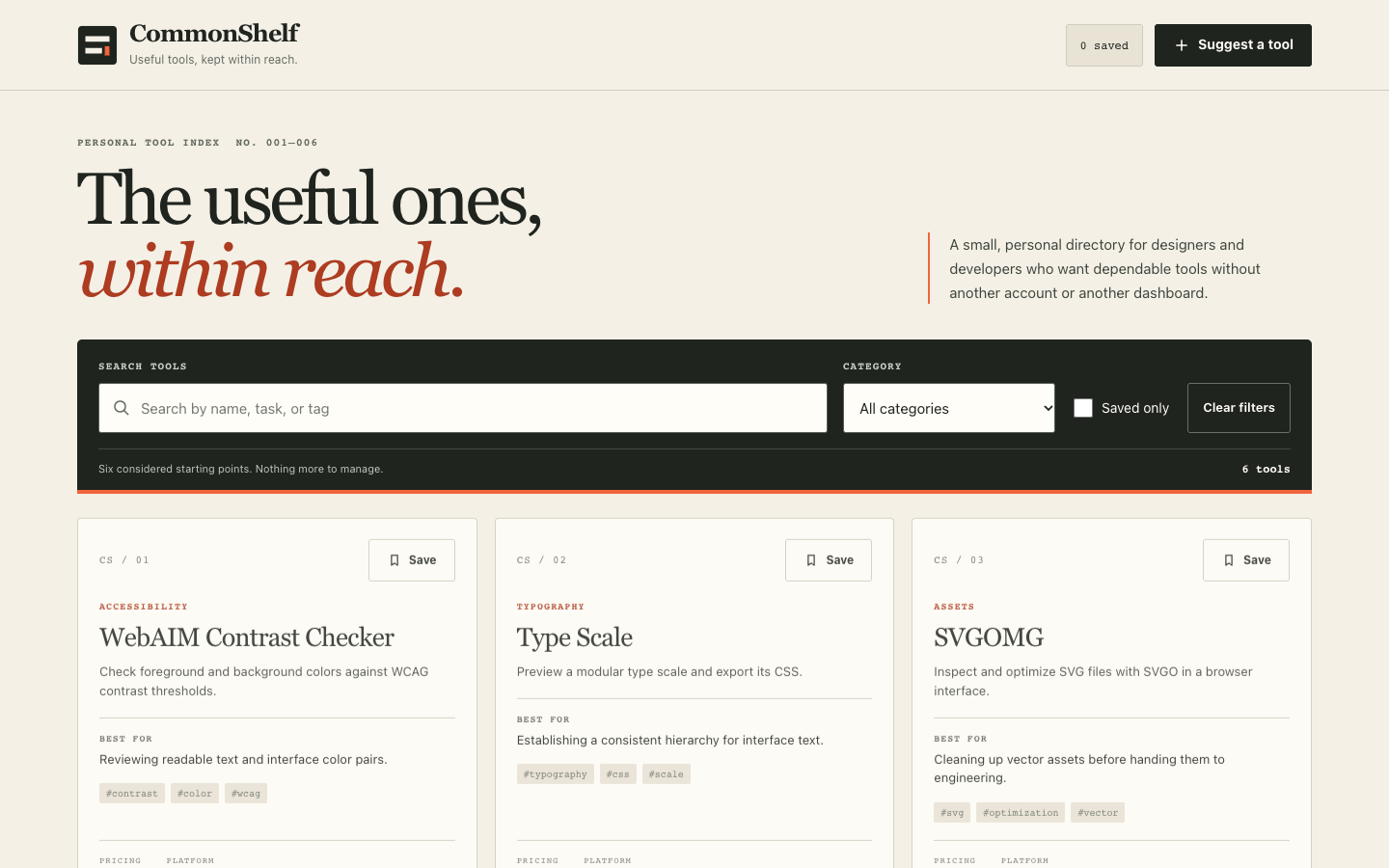
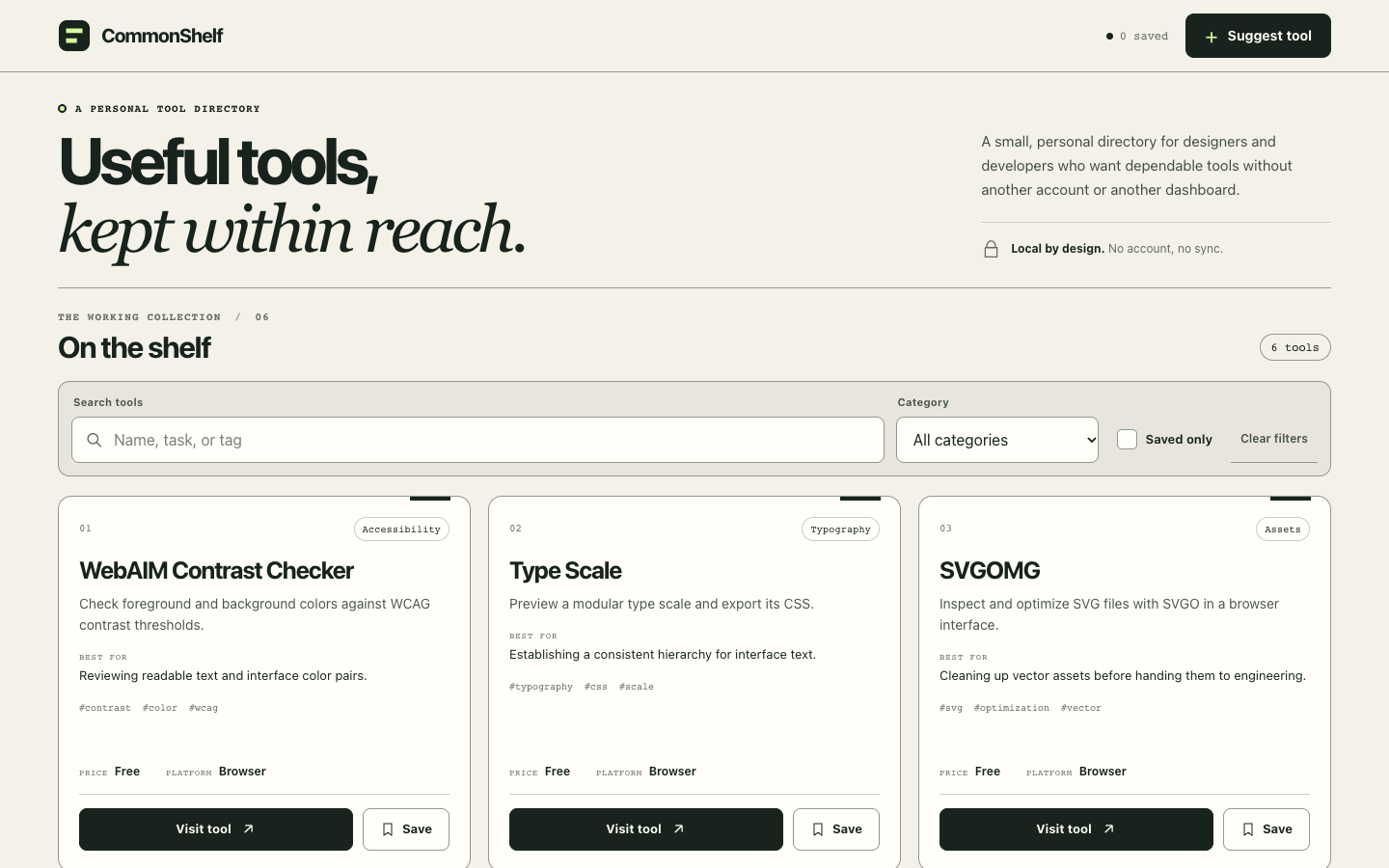
The visual scores were 88, 90 and 83, with 6/6 functional scenarios passing each time. All three outputs center search, filters and the six tools, with stable card information order. Saving updates text, icons or shape, fill and count; empty results offer reset, load failures offer retry, and form errors include a summary and field-level recovery guidance.
In run-1, the long mobile form requires scrolling to expose the full action row after errors appear, and several captures caught later cards almost transparent during entry. Run-2 developed a more coherent shared index-rule and saved-tab system, but its 420ms entry effect produced washed-out frames in search and suggestion-refresh captures. Small monospaced supporting text also made long pages harder to read.
In run-3, every renderTools() rebuild replayed a 180ms card-in animation from opacity: 0. A search capture displayed “1 tool” with no visible result card, while mobile search, saved-refresh and suggestion-refresh captures showed nearly transparent cards. Although functional acceptance passed, repeatedly hiding primary content during routine filtering disrupted feedback, so this run scored 83. The frames do not prove permanent data loss.
frontend-design: 88.0, a coherent work-drawer language with repeated emphasis
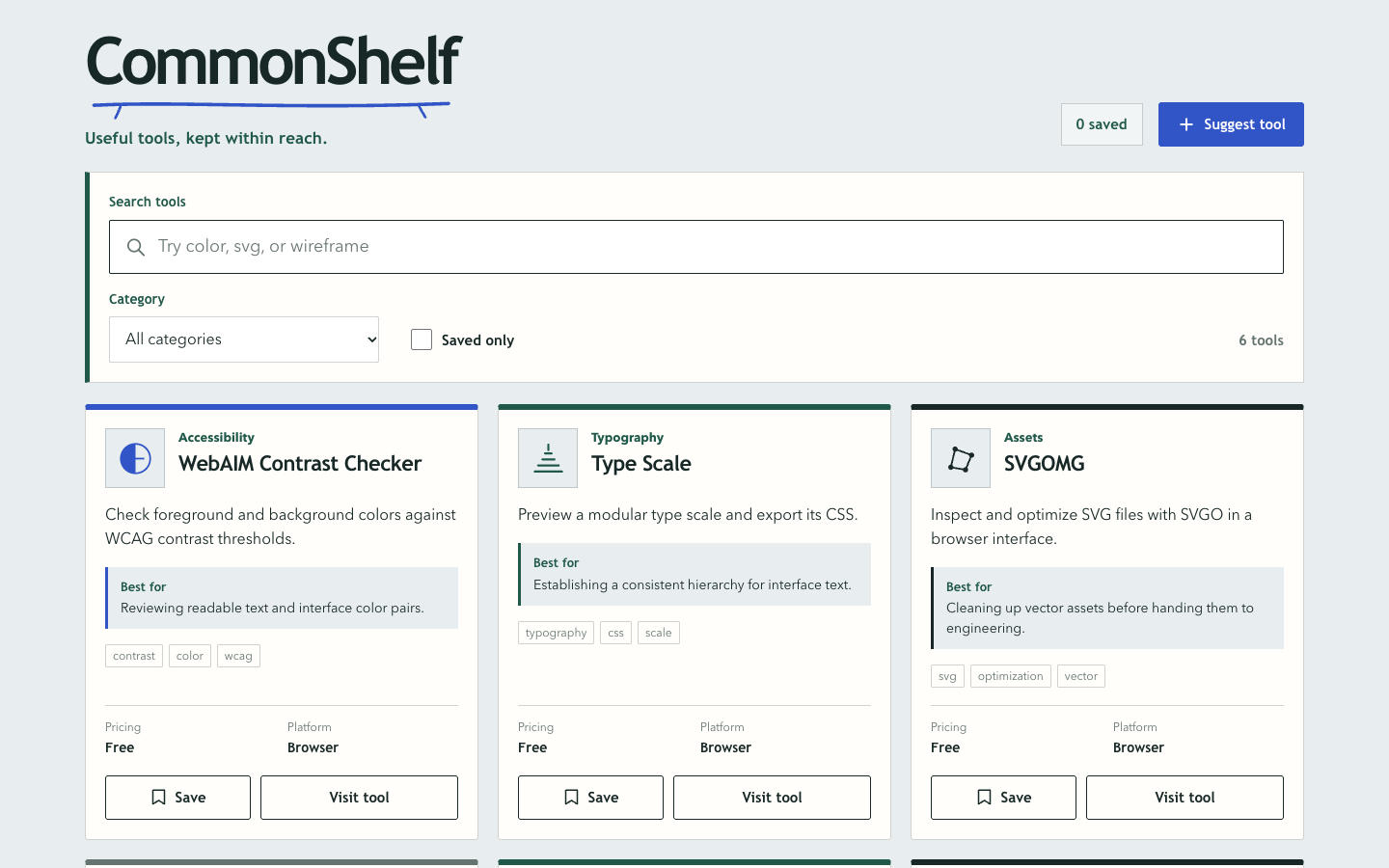
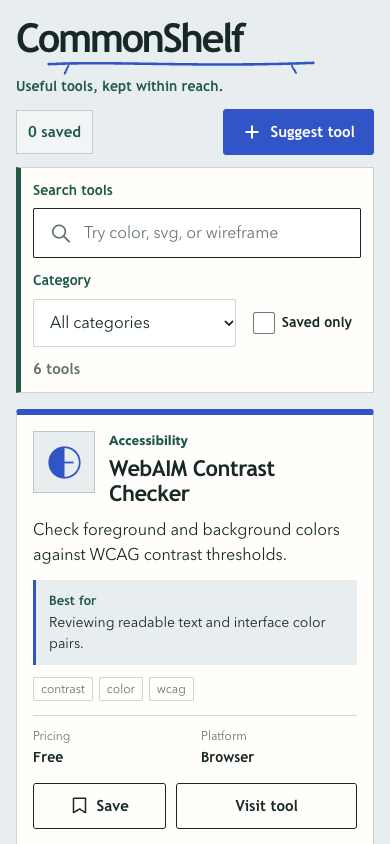
The visual scores were 87, 87 and 90, with 6/6 functional scenarios passing each time. Run-1 built a “work drawer” from cool gray surfaces, label paper, hand-drawn shelf lines, bookmarks and distinct tool symbols, keeping summaries and use cases in focus. Saving changed text, bookmark fill and surface color; the first mobile card and invalid-form actions were fully visible.
Run-2 retained clear hierarchy but combined a 6px tool-card top bar, a heavy card baseline and left rules around filters and suggestions, making the design visually heavier. Its mobile error dialog placed cancel and save below the 844px initial viewport, requiring a scroll. Run-3 also repeated blue left rules and used small labels and metadata. Its average matches Impeccable’s, but the screens and weaknesses differ.
UI UX Pro Max 2.15.0: 86.7, thorough states held back by mobile density and action placement
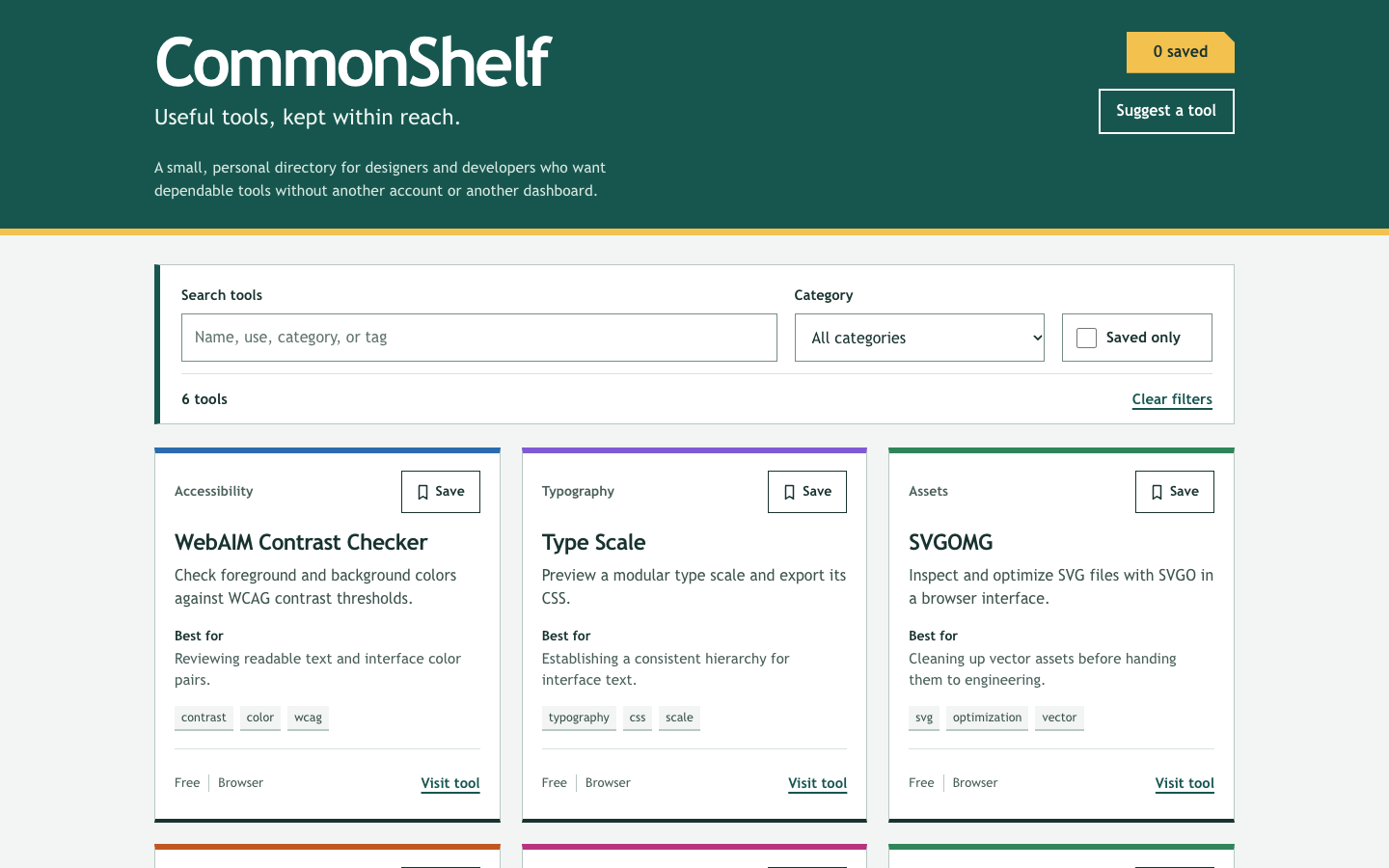
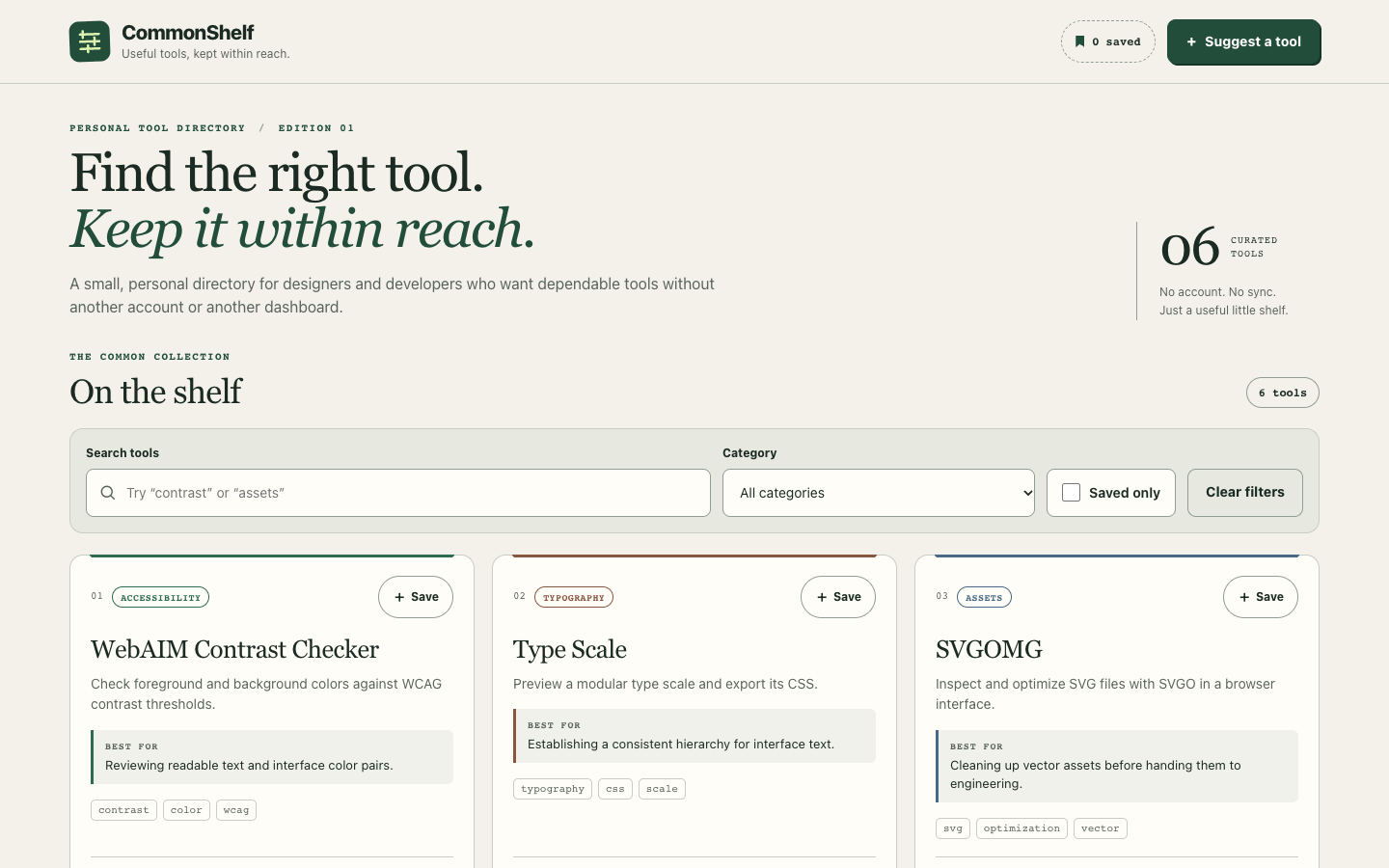
The visual scores were 86, 88 and 86, with 6/6 functional scenarios passing each time. All three versions organize the six tools by name, summary, use case, tags, pricing and platform. Saving updates Save/Saved text, the bookmark, count and Saved only state; load failure, storage degradation and form errors all have recovery paths.
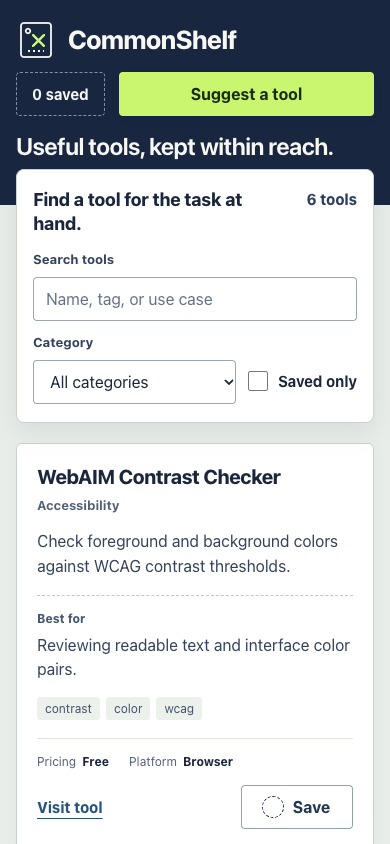
Run-2 repeated a 4px top accent on tool cards and left rules around suggestions and specifications; frequent 12px categories, numbers and tags made the treatment feel formulaic. In run-3, the first mobile tool card began around 712px, leaving only its top visible in an 844px viewport, and the full page was about 4695px tall. Long error forms on desktop and mobile required scrolling to find submit and cancel; they passed acceptance, but completion was less direct.
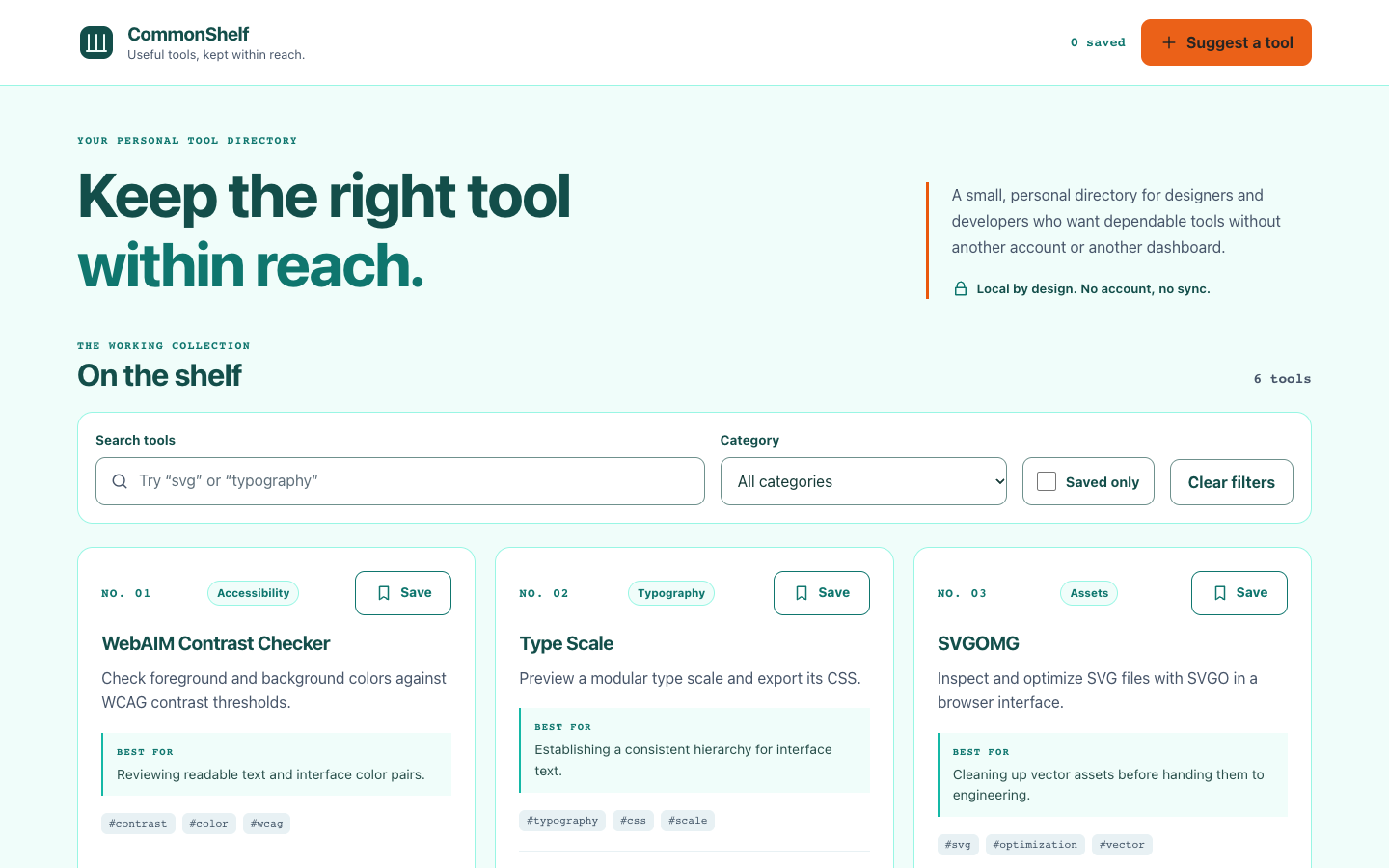
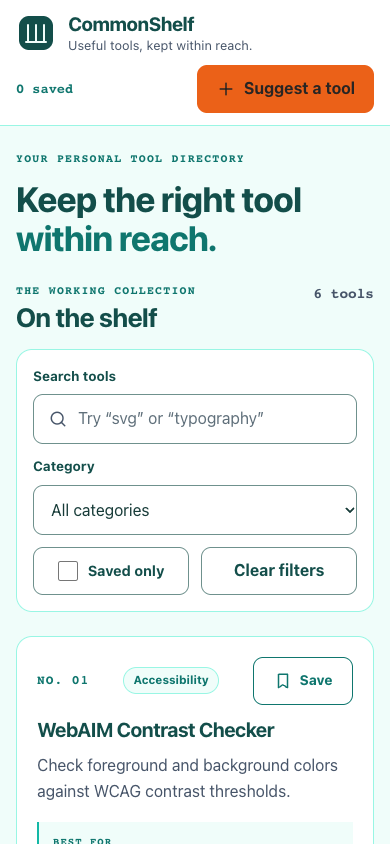
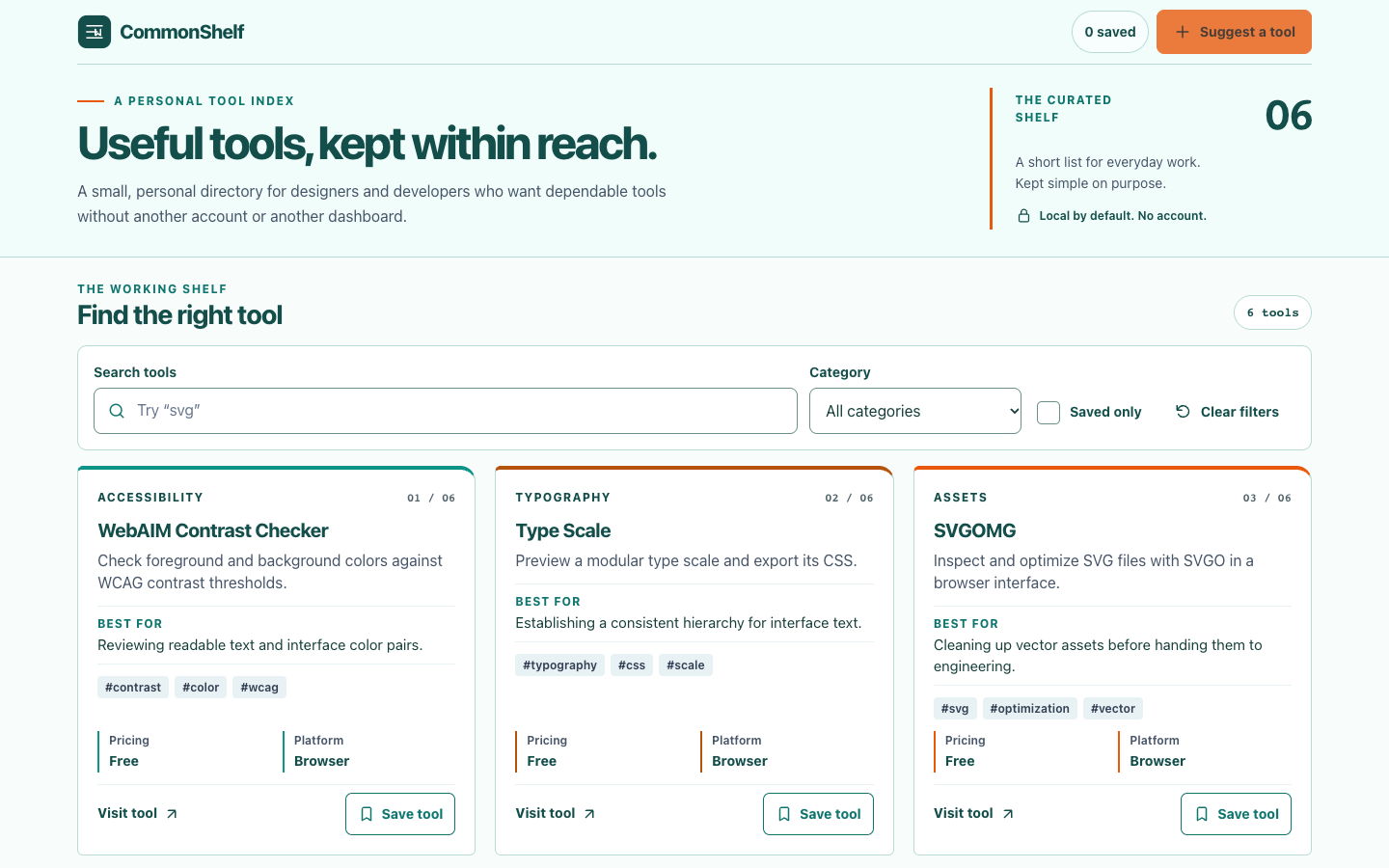
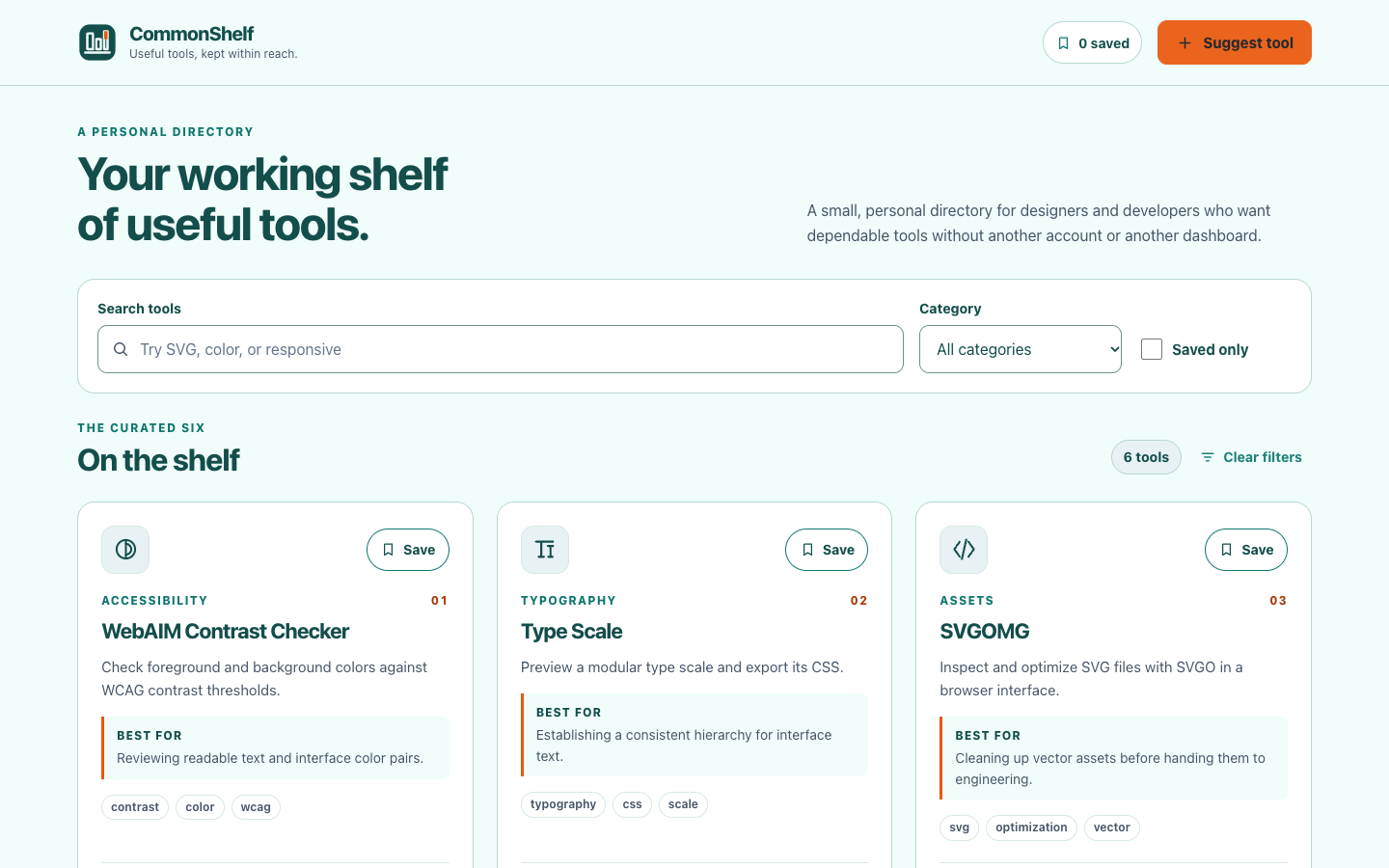
Impeccable 4.7.0: 88.0, with directory details tied to real state
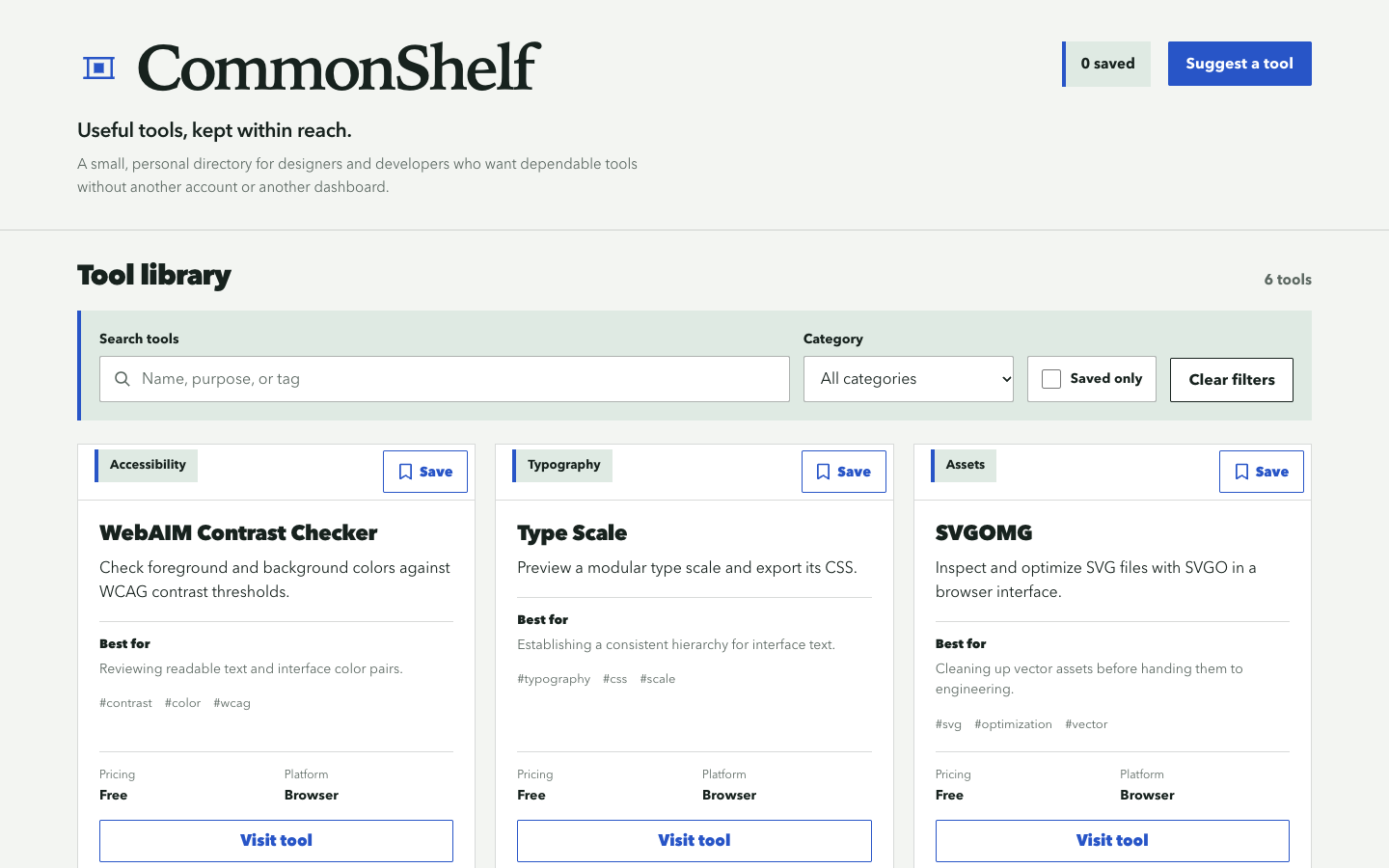
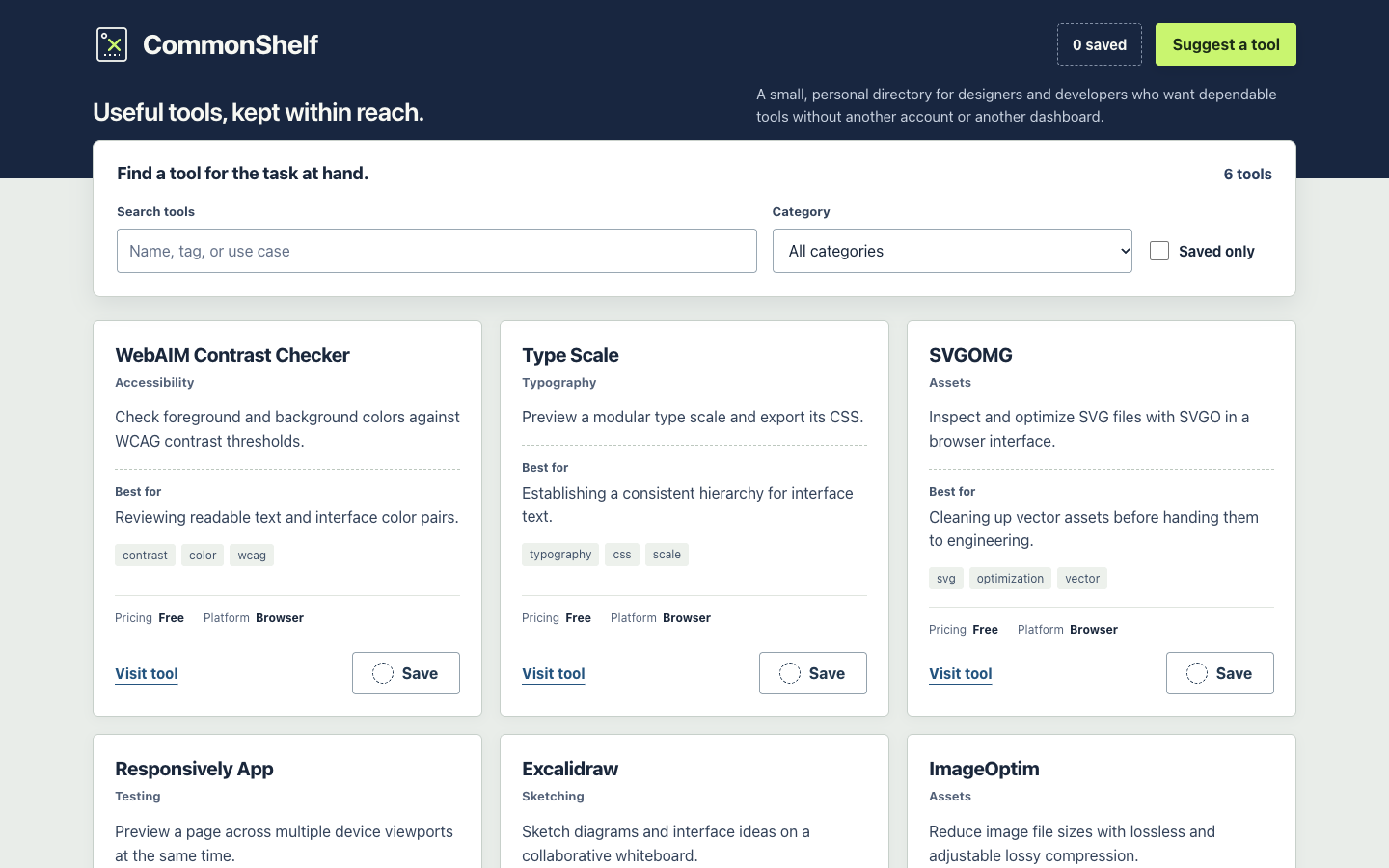
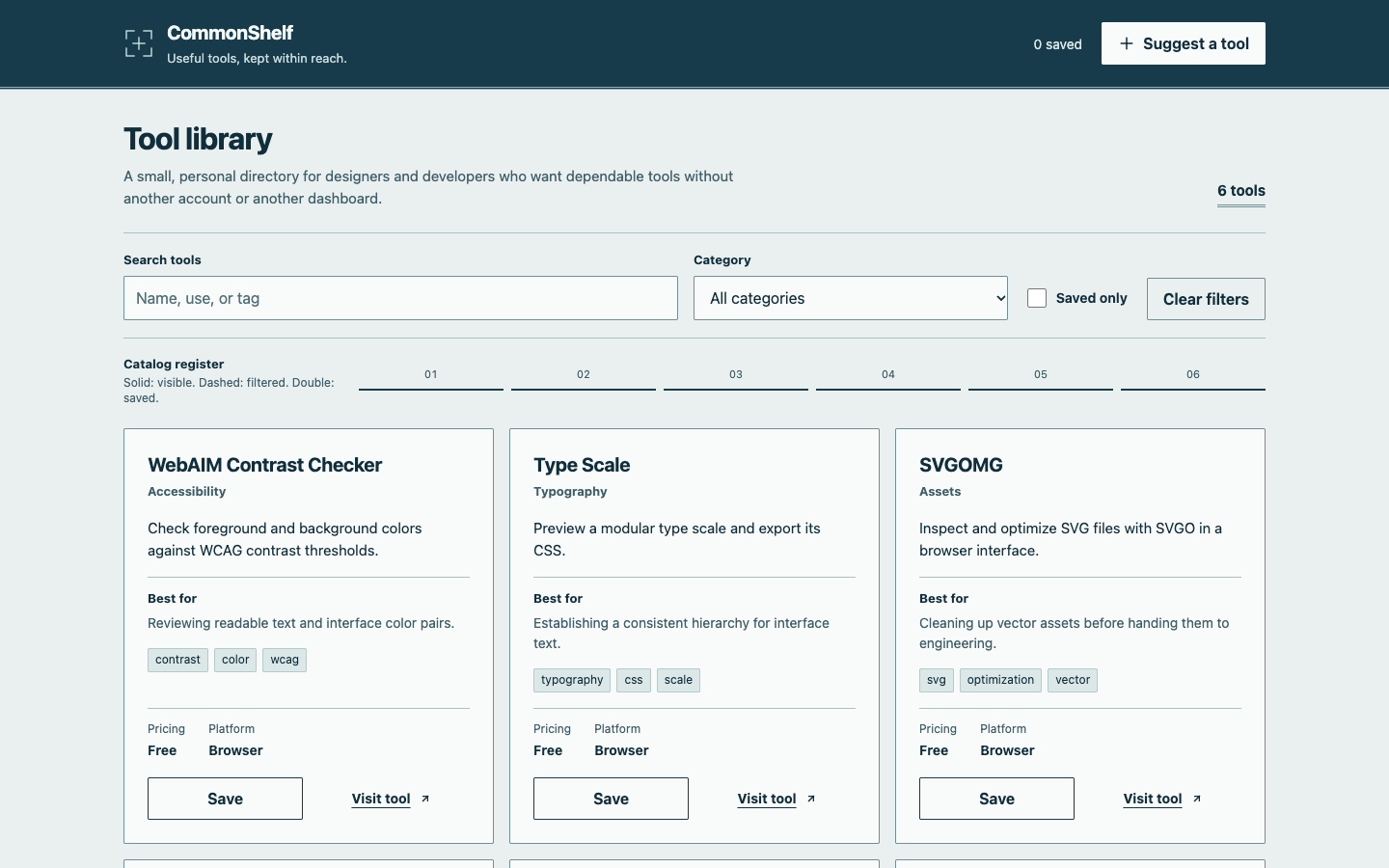
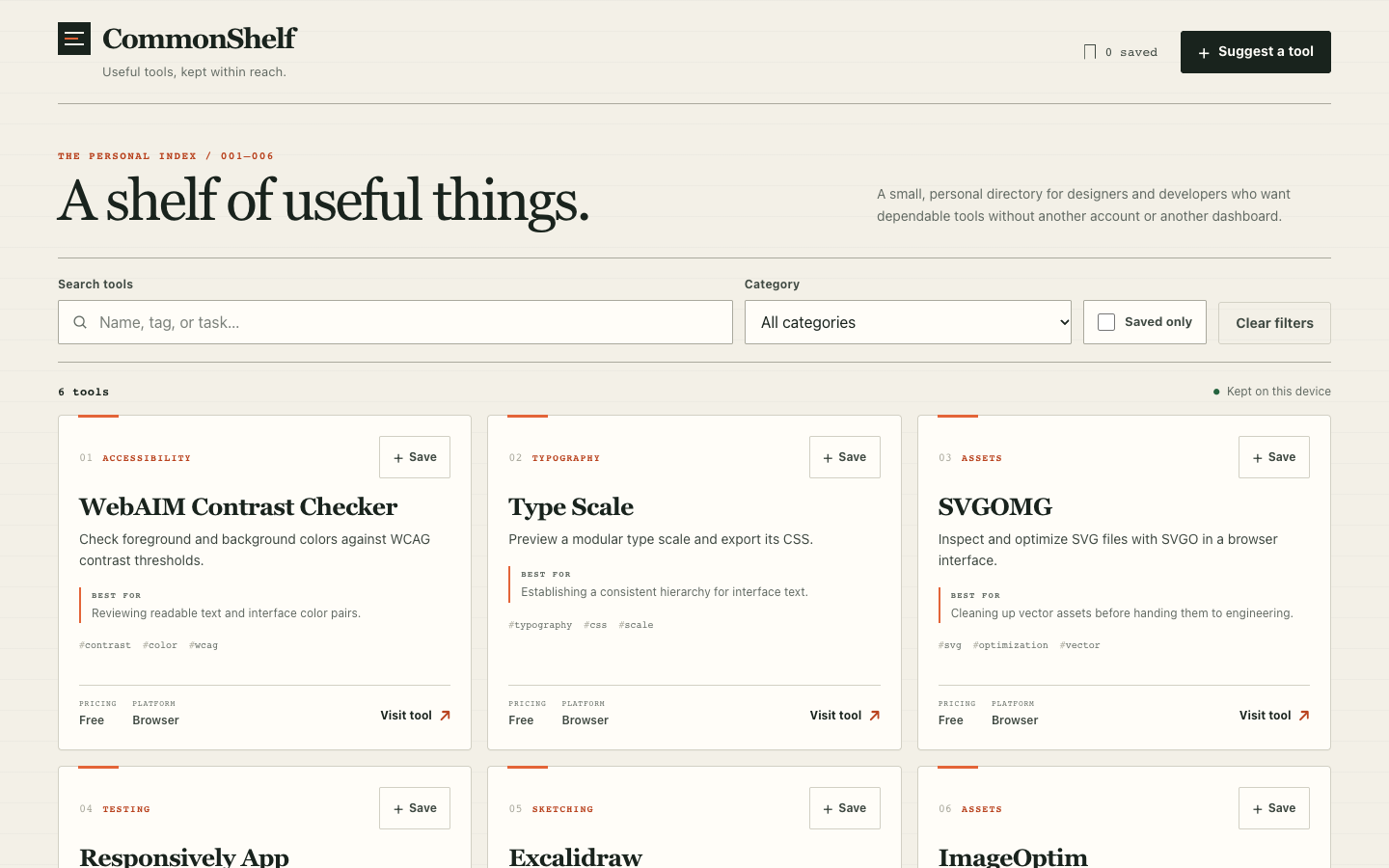
The visual scores were 88, 87 and 89, with 6/6 functional scenarios passing each time. Run-1 used perforations, dashed rules and stitch marks to form a coherent ticket-swatch direction. In run-3, the Catalog register changed line styles with search, saving and filtering, tying decoration to actual state. Save feedback combined text, marks, fill or borders, while empty results and load failures offered a next action.
Deductions centered on density and small-screen flows. In run-1, summaries, tags and metadata did not share baselines across same-row cards when content lengths differed, and 12px metadata was weak. Run-2 combined a tall header with several filter layers, leaving fewer tool actions in the first mobile viewport and producing a 3149px page. Several mobile error dialogs also required scrolling to expose cancel and save.
No Skill control: 84.3, complete interfaces alongside two failures that remain visible
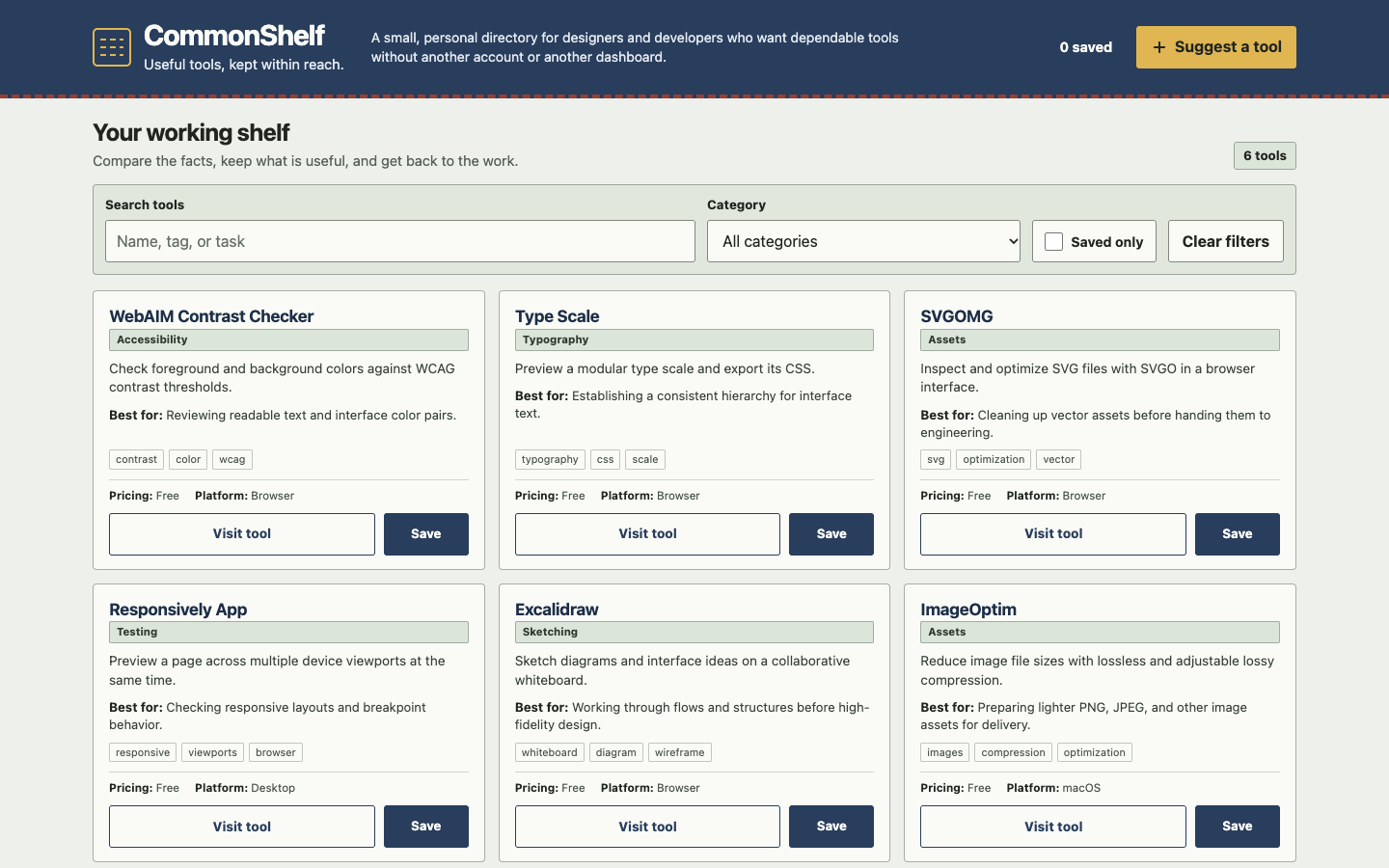
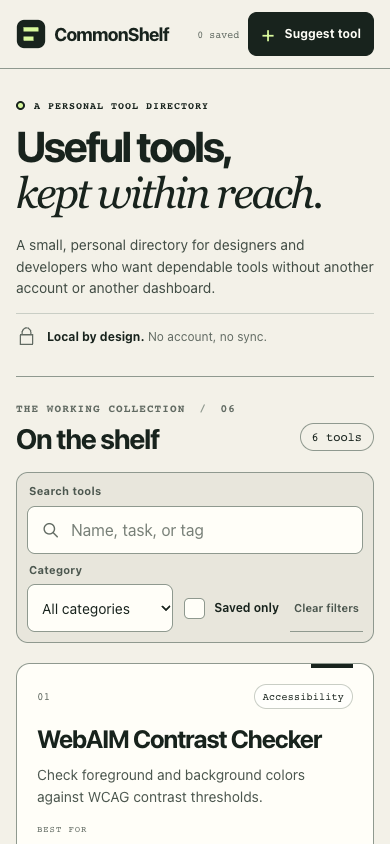
The visual scores were 83, 86 and 84. Warm paper, numbering and index lines formed coherent tool directories, with broadly clear three-column desktop and single-column mobile layouts; saving and empty states often used more than color alone. The underlying model can already produce complete interfaces without a Skill, so assessments need concrete comparisons rather than a zero-score assumption.
Run-1 and run-3 failed the exact Toast text assertion in interaction-and-persistence: the contract expected “Suggestion saved.” while the actual text added a check mark and whitespace. In run-3, that check mark was aria-hidden in the HTML, so the result does not establish that suggestions or persistence were wholly broken. Under the fixed contract, both runs remain failed at 5/6, and steps after the failed assertion cannot be counted as accepted.
Supporting text was repeatedly too small or faint. In run-3, sampled color calculations found weak contrast for tool numbers and placeholders, and only the upper edge of the mobile error dialog’s bottom actions was initially visible. In run-1, introduction and filters occupied most of the first mobile screen.
Appendix | Oil UI 0.24.2 optimization candidate: one follow-up trial
This appendix covers one follow-up trial of an independent optimization candidate based on Oil UI 0.24.2, again using Kimi AgentSwarm with kimi-1021-preview. The candidate is not an official release, sits outside the original 15-run sample and neither changes nor supersedes those results; one trial does not establish a general improvement.
Independent functional acceptance passed 6/6 scenarios, and the extended continuous-interaction check passed 2/2 across 11 checkpoints. The two independent blind reviewers scored 89 and 90, averaging 179/2 = 89.5. They did not rerun Playwright, and functional evidence remains separate from visual scores. Direct evidence covers only Chromium at 1440×900 and 390×844, not real phones, every breakpoint, other browsers or a complete accessibility audit.
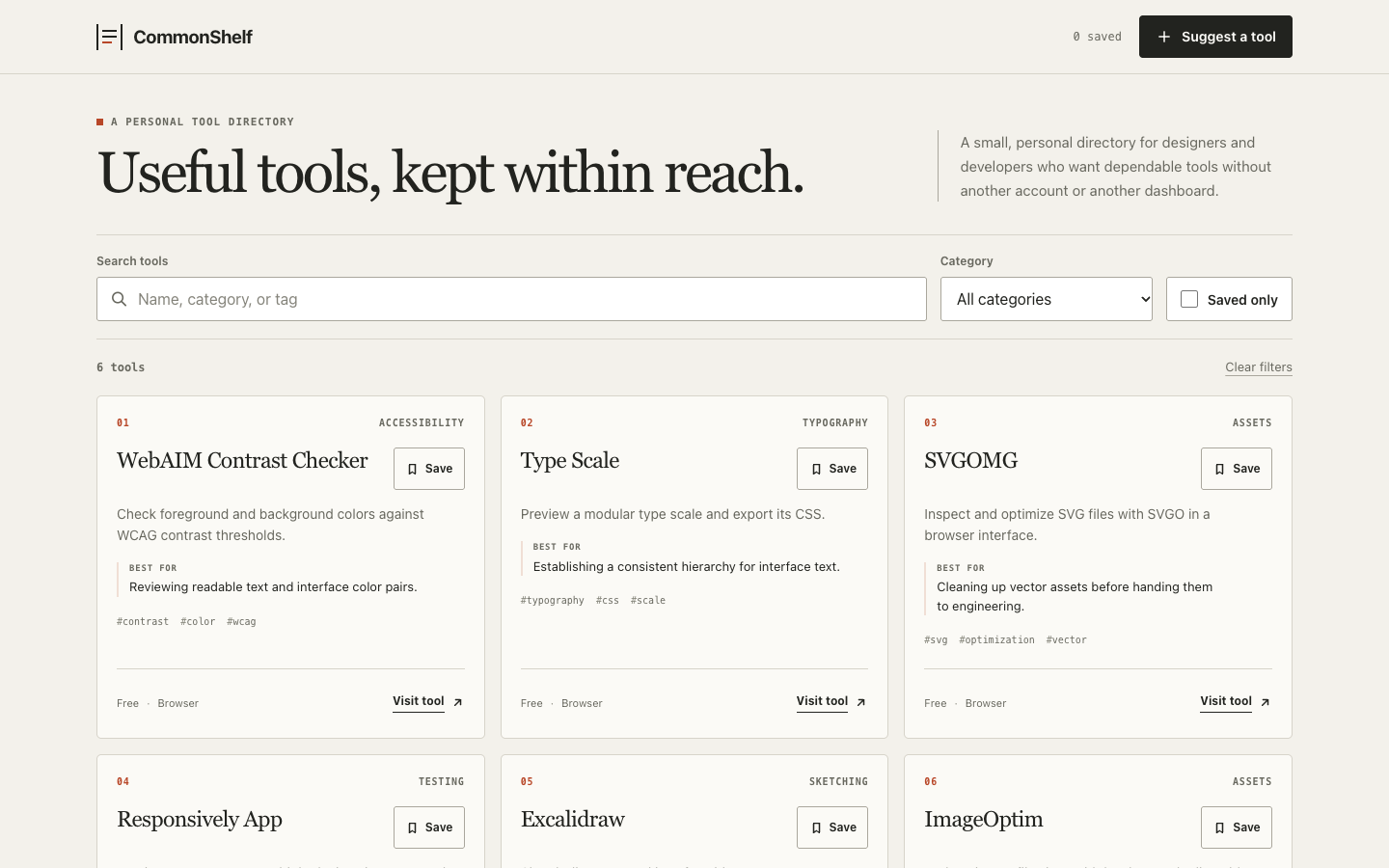
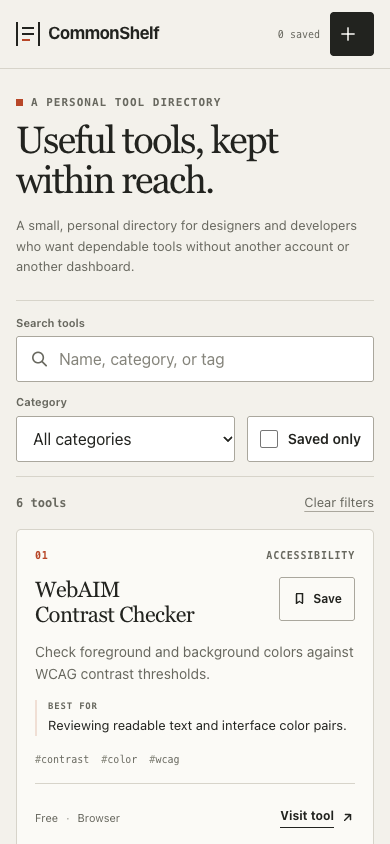
- DOM and motion: no whole-list replay observed during continuous use or restore
- Across all 11 continuous checkpoints, retained cards recorded sameOriginalNode=true rather than rebuilding the full set. Card and suggestion animationstart records were empty, and both reviewers inspected the continuous-interaction video. A localized CSS Transition on the save button was recorded separately, not as a list replay. After refresh, all six restored cards and the suggestion had cssAnimations=0, restoreAnimationStarts was empty, and both saved state and suggestion content were restored.
- Mobile actions and visual hierarchy
- With four errors in the 390×844 viewport, both cancel and submit buttons were 48px high with a bottom edge of 819px, keeping them inside the viewport. Both actions were trusted touch clicks, and the corrected submission survived refresh. Both blind reviewers confirmed that the dialog and error summary had no thick top emphasis bar, while their hierarchy remained clear.
- Old errors, small text and placeholder contrast still need work
- After fields were corrected and before the next submission, the old error summary and field-level errors remained visible. This matches submit-time validation rather than a functional failure, but it weakens feedback timeliness. Some supporting text remained 9–11px. Reviewer A measured input placeholder contrast at approximately 3.76:1, below the 4.5:1 reference for normal text; this was a localized spot check, not a complete contrast audit.
Limitations: what this evidence does and does not establish
The test covers one English static CommonShelf brief, one model and three final samples per condition. The six-dimension rubric still involves judgment: one review corresponds to one anonymized packet, not large-scale user research or a statistical-significance experiment. Another task, content language, framework or model could change the outcome.
Functional acceptance covered six predefined Chromium scenario groups, not a complete product audit. Ordinary tablet layouts had stylesheet evidence but no dedicated screenshots. Safari, Firefox, real touch devices, screen readers, 200% zoom and full WCAG checks were not completed. Static screenshots cannot describe continuous animation timing: Oil UI run-3’s transparent frames establish a feedback problem, but not the quality of the settled frame after animation.
The public demos preserve the actual post-generation pages and functional failures. Technical interruptions and protocol-bound recovery were not counted as candidate functional failures or used to compare elapsed time; they are distinct from independent post-generation acceptance.
Reproduce: inspect the evidence, then run your own comparison
Use the 15 demos, 20 initial images and results.json above to check this article. For a comparable rerun, keep the same brief, pinned versions and model; start a fresh agent each time; retain all three outputs; and run independent acceptance after generation. The public content file is byte-identical to the copy served with the demo. The prompt below is a condensed rerun brief, not the original frozen task file.
The open-source install command installs whatever version it resolves when run, not necessarily 0.24.2. For a strict comparison, record the installed version and use the pinned commits in the table. Treat a newer version as a new test rather than overwriting these numbers.
Install open-source Oil UI and record the version
Try the open-source Skill on your own task first. Oil UI Pro was not used in this benchmark.
npx skills add oil-oil/oil-uiRun three independent generations per condition
Keep the model and content data fixed. Start each run with a fresh agent and workspace, deliver one direction, and never import or repair another run’s page or replace weaker output.
Separate functional acceptance from anonymous visual review
Check the six scenario groups at 1440×900 and 390×844 and retain every pass or failure. Hide condition identities for visual review, apply the same six dimensions, and publish every result, not only the averages.
Build one complete CommonShelf static web app with plain HTML, CSS and JavaScript. Use the supplied content.json unchanged. Make one coherent direction without asking for a selection. At 1440×900 and 390×844, the first viewport must help a visitor find, understand and save tools. Implement combined search, category and saved-only filters; local-storage saves; a validated suggestion dialog; exactly three keyboard-operable FAQ items; actionable content-unavailable and storage-unavailable states; visible focus; and reduced motion. Keep suggestions outside the curated tool grid. Make no external requests except user-activated official links. Do not import another run or replace a weak result. Preserve every failure, then independently verify the actual page and review anonymized screenshots and runtime files.This is a condensed brief for a comparable rerun. Strict reproduction also requires the pinned versions above, the six acceptance scenario groups and the same scoring rubric.
Working gallery examples & prompts
Open the live demos at 1440px or 390px to inspect how the model and prompt shaped the final interface.
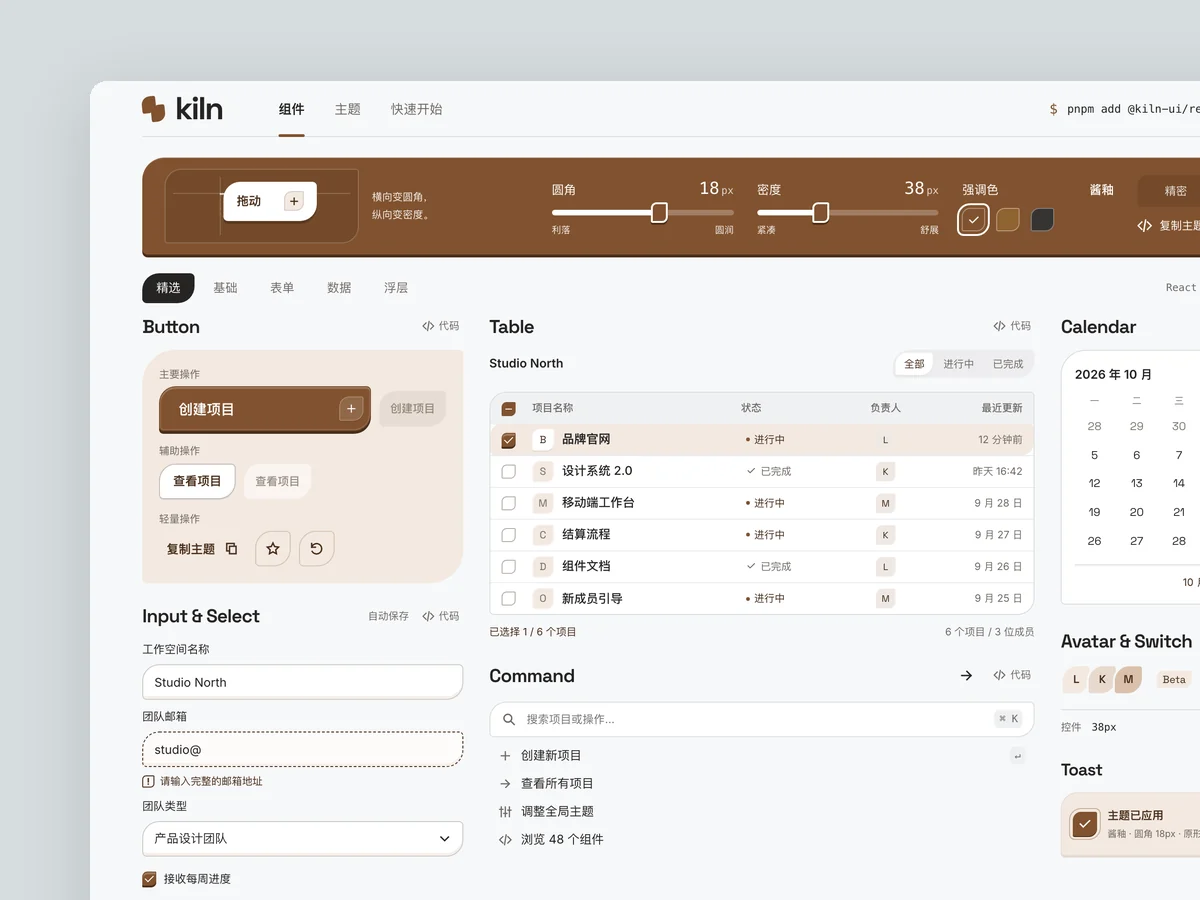
Kiln
Component library website
Product: Kiln, an open-source component library for React developers with more than 40 components, including buttons, inputs, dropdowns, command palettes, dialogs, tooltips, tables, and date pickers. It supports theme customization. Build its website homepage, optionally with a component detail page: - Show real interactive components directly on the homepage, rather than screenshots. A “component wall” should contain working components that users can click, type into, and switch. - Take cues from the precision and restraint of leading developer tool websites: mostly black and white, at most one accent color, a strict grid, and monospace type for code and numbers. - Make a theme controller memorable: dragging radius, density, or accent color controls changes every component on the page immediately. - Include a copyable installation command, code snippets, navigation by component category, and realistic usage figures such as GitHub stars and weekly downloads, avoiding overly round numbers.
Inspect work & prompt →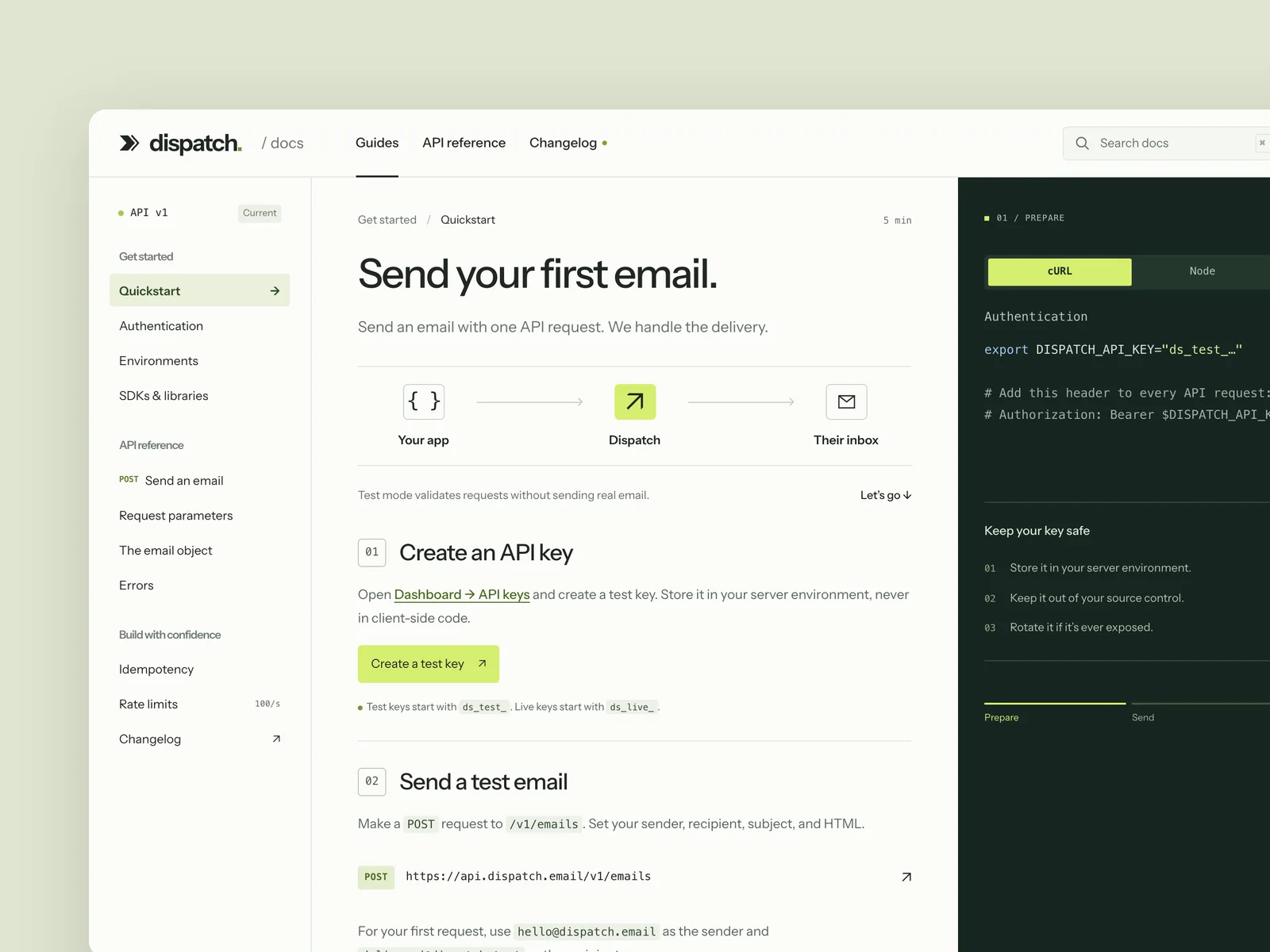
Dispatch
Developer API docs
The developer documentation site of a payments or messaging API company (from 1440×900, responsive down to 390 wide): navigation on the left, the article in the middle, and code samples on the right that switch between languages (cURL, Node, Python). It includes a quickstart, a full reference for one endpoint (parameter table, request and response examples, error codes), and search. While you read, the code samples follow the current section, and the chosen language is remembered across the site. Design the quickstart page, an endpoint reference page, and search open.
Inspect work & prompt →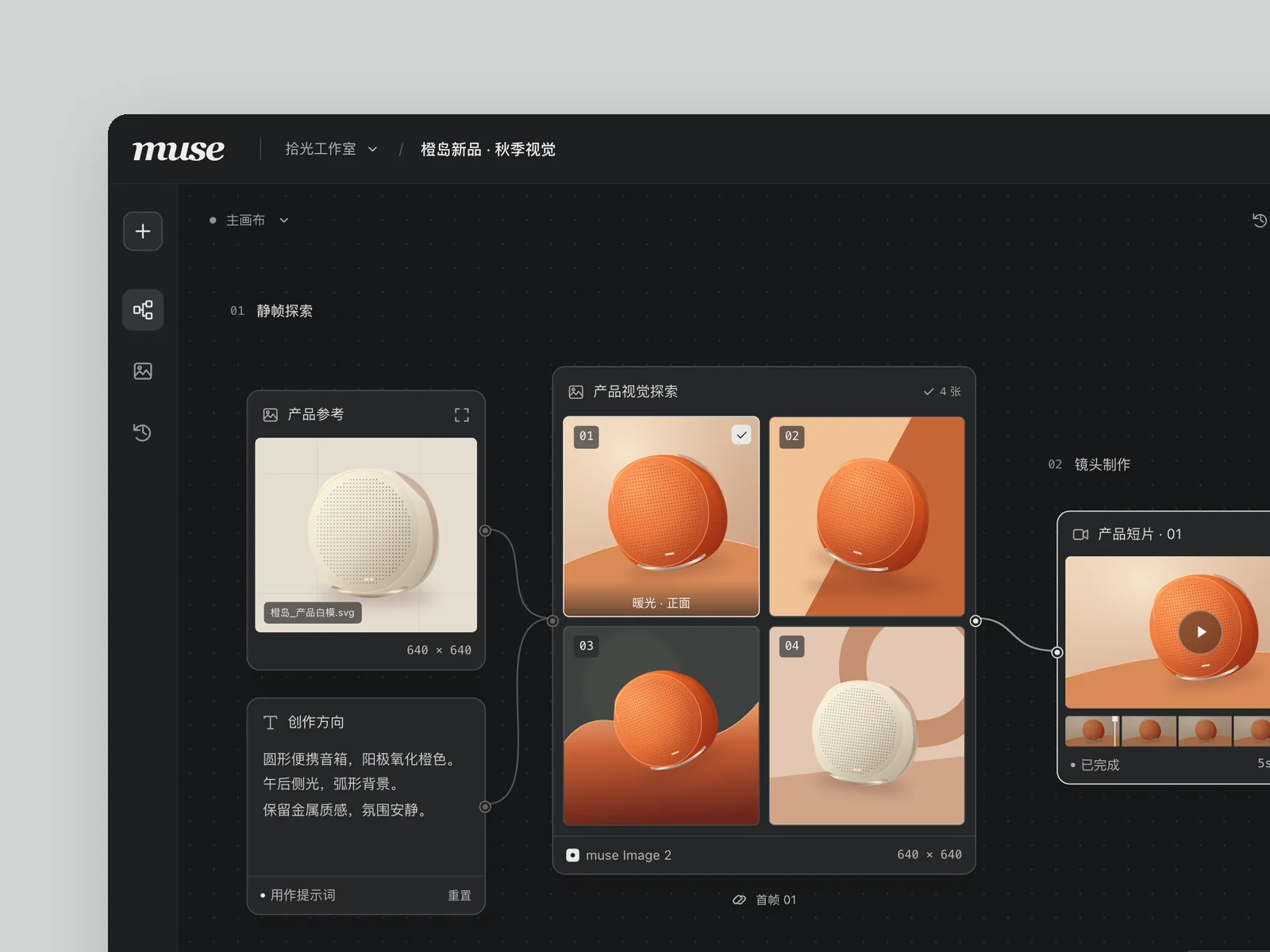
muse
AI image and video canvas
An AI image and video generation tool for designers and creative teams, with all prompts, reference images, and generated results on one infinite canvas. Build the main workspace.
Inspect work & prompt →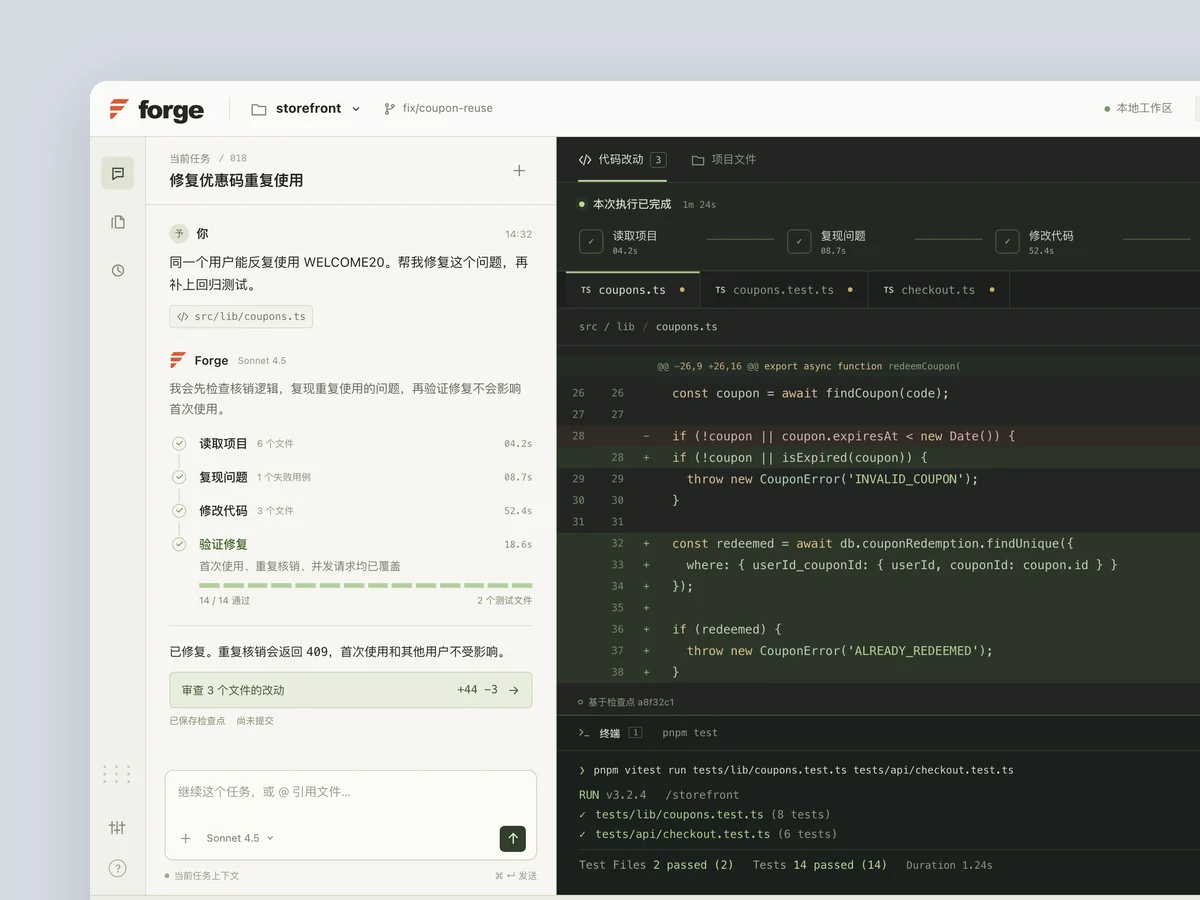
Forge
AI coding assistant
Product: Forge, a desktop AI coding assistant. A conversation sits on the left, with the code being edited and the terminal on the right. Users can watch it read files, edit code, and run tests step by step. Build its main interface (1440×900) with realistic data: filenames, diffs, and test output that look like a real project. Make the AI's work visible and memorable: steps light up one by one, diff lines appear progressively, and tests turn from red to green. Also capture a state where it is waiting for the user to confirm a risky change.
Inspect work & prompt →Optional: Oil UI Pro was not part of this benchmark
Every Oil UI result came from open-source version 0.24.2; Pro played no role in generation, acceptance or scoring. Inspect the demos, review the failures and rerun the open-source Skill first. Consider Pro separately if your workflow calls for its additional methods.
npx github:oil-oil/oil-cli install oil-ui-proCommon questions
Can this comparison decide which Skill I should install?
Do not decide from the averages alone. Compare catalog hierarchy, mobile actions, motion, functional failures and source licenses, then open the demos that match your priorities.
Why did Oil UI run-3 score 83 visually if every functional scenario passed?
Acceptance confirms that the specified behaviors work; visual review also examines feedback. Every card rebuild in this run replayed an animation from transparency, leaving result areas almost blank in several search, save and suggestion captures. This visible feedback defect justifies the score of 83, but does not prove permanent data loss.
Do the two no-Skill failures mean saving was completely broken?
No. Both runs failed an exact Toast text assertion because the actual text added a check mark and whitespace. That does not establish total save or persistence failure, but it fails the predetermined contract, so both runs remain failed at 5/6.
How can I verify the numbers and screens in this article?
Download results.json for every six-dimension score, total and functional outcome, then open each candidate’s three desktop initial images, one mobile image and three working demos. Every mobile image comes from run-1; no higher-scoring run was substituted, and no form screenshot serves as a primary visual.