
UI Design Skills vs. One-Shot UI Generators & Component Libraries
Developers building interfaces with AI today choose between three distinct kinds of tools: component libraries (like shadcn/ui, Radix or Tailwind UI), hosted one-shot UI generators, and Agent UI Design Skills (like Oil UI) that run inside Claude Code, Codex or Cursor. They solve different layers of the problem—accessible primitives, isolated concept sketches, and end-to-end design judgment inside your real codebase.
Key takeaways
- Component libraries supply accessible primitives (buttons, dialogs, selects) but do not decide page hierarchy, pacing or what belongs on the first screen.
- Hosted one-shot UI generators are handy for isolated throwaway mockups, but their output rarely drops cleanly into an existing production repository.
- An Agent UI Design Skill (Oil UI) runs directly inside your coding agent, bringing side-by-side direction boards, anti-slop subtraction and live screenshot reviews to your actual codebase.
- You can combine them freely: keep your existing component primitives while using Claude Code or Codex + Oil UI to govern layout, states and visual QA.
npx skills add oil-oil/oil-uiWorks alongside your existing frontend framework and component library.
How Component Libraries, Hosted Generators and Design Skills Differ
Frustration with AI-built interfaces usually comes from asking one tool to do another tool’s job—such as expecting a primitive library to prevent cluttered layouts, or trying to transplant a sandboxed generator mockup into a stateful production app. Here is how the three categories compare in practice:
| Dimension | Component libraries (shadcn/ui, Radix, etc.) | Hosted one-shot UI generators | Agent UI Design Skill (Oil UI) |
|---|---|---|---|
| What it provides | Accessible building blocks (Dialog, Select, Combobox) | Standalone preview screens hosted in a web sandbox | Design method, comparison boards and blind screenshot review inside your agent |
| Codebase awareness | Installed as package primitives; makes no layout decisions | Runs outside your repo; disconnected from local routes and APIs | Reads and edits your actual repository in Claude Code, Codex or Cursor |
| Defense against generic AI slop | None—agents still assemble primitives into generic 3-card grids | Often bound to platform house styles and stock layouts | Active direction exploration, anti-slop checklists and border subtraction |
| Renovating existing apps | Helps swap individual controls, not page hierarchy or flows | Hard to retrofit onto live production forms and state hooks | Annotated screen diagnosis, 3-tier renovation and DESIGN.md extraction |
| Visual verification | Manual developer inspection in the browser | Previewed inside the generator’s iframe | Automated 1440px/390px browser captures critiqued by a blind subagent |
How to Combine Them in a Real Engineering Workflow
You do not have to abandon your stack to adopt a design skill. Teams typically pair these tools in three ways:
- Inside an existing production codebase (Next.js / Vue + primitives)
- Keep Radix or shadcn/ui for keyboard accessibility and focus traps. Install Oil UI in Claude Code or Cursor so the agent stops wrapping every section in a default Card component and starts designing clear page hierarchy verified by localhost screenshots.
- Starting a new product, docs site or desktop tool from scratch
- Use Codex or Claude Code with Oil UI to generate a 3-direction comparison board first (inspect Kiln component library site, Dispatch API docs, muse canvas or Forge coding assistant in the gallery), pick the strongest direction, and build out the working states.
- Turning a reference screenshot or rough sketch into production code
- Pass a reference image directly to your Oil UI-equipped agent to either match it via iterative pixel-diffing or adapt its typographic mood to your own domain content.
What Oil UI Does—and What It Does Not Do
Clear expectations save everyone time:
Oil UI is a design skill that teaches coding agents how to explore directions, structure hierarchy and critique rendered screens. It is not a pre-styled React widget kit, and it does not replace the capabilities of the underlying language model—frontier models like Claude Opus 5.5 or GPT 6.1 Sol will still reach a higher ceiling than smaller models. In addition, visual verification requires an agent that can inspect images and run a local browser. That is why we always recommend trying the free open-source skill on a real task before buying Oil UI Pro.
Use Oil UI to redesign [screen name, e.g., our developer API keys and usage page] in this repository.
- Stack constraints: Continue using our existing [e.g., Radix / shadcn/ui primitives and Tailwind setup] without adding new UI dependencies.
- Design instructions: Do not wrap every group in a default bordered Card component. Propose 2 to 3 distinct layout structures first, prioritize the primary action, cover empty and error states, and verify at 1440×900 and 390×844 in the local browser.
Lets your component library handle low-level accessibility while Oil UI governs composition and visual QA.
Working gallery examples & prompts
Open the live demos at 1440px or 390px to inspect how the model and prompt shaped the final interface.
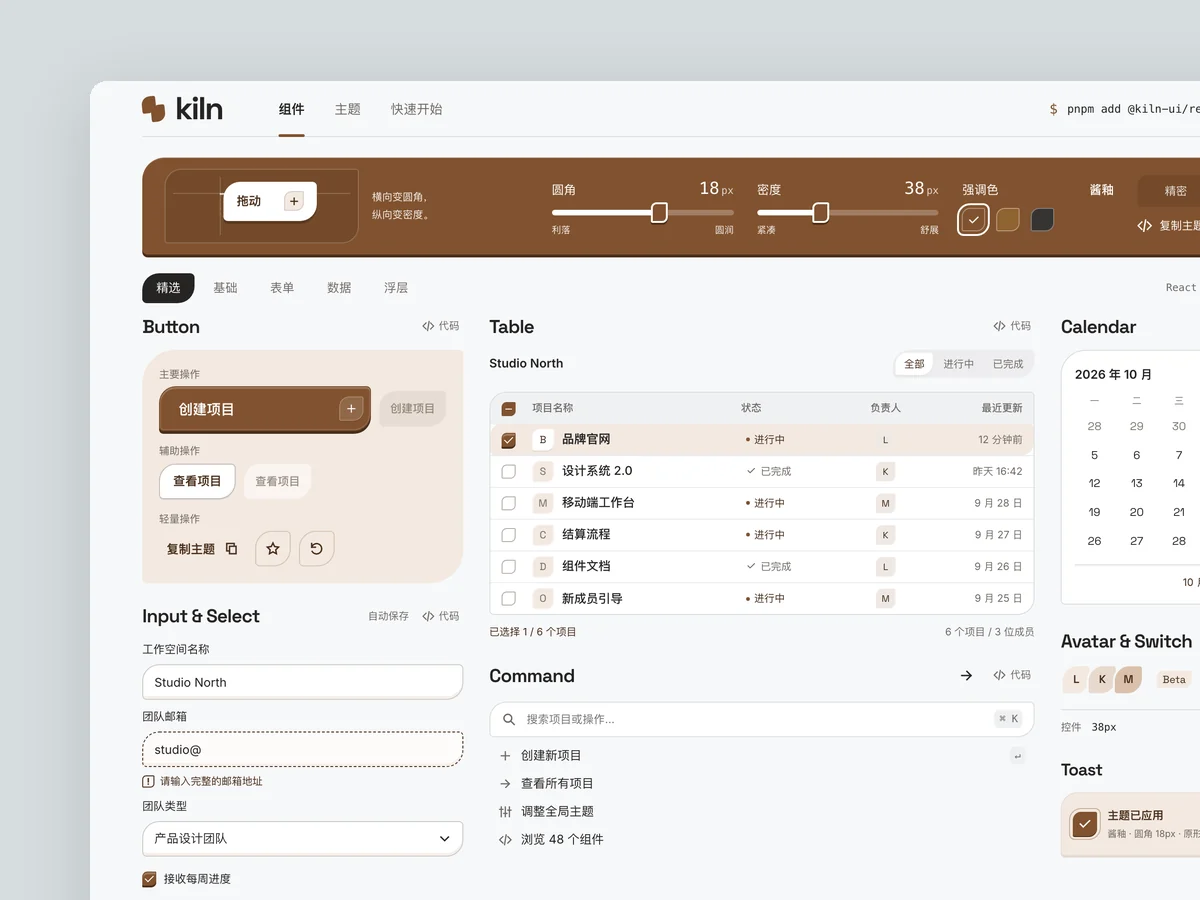
Kiln
Component library website
Product: Kiln, an open-source component library for React developers with more than 40 components, including buttons, inputs, dropdowns, command palettes, dialogs, tooltips, tables, and date pickers. It supports theme customization. Build its website homepage, optionally with a component detail page: - Show real interactive components directly on the homepage, rather than screenshots. A “component wall” should contain working components that users can click, type into, and switch. - Take cues from the precision and restraint of leading developer tool websites: mostly black and white, at most one accent color, a strict grid, and monospace type for code and numbers. - Make a theme controller memorable: dragging radius, density, or accent color controls changes every component on the page immediately. - Include a copyable installation command, code snippets, navigation by component category, and realistic usage figures such as GitHub stars and weekly downloads, avoiding overly round numbers.
Inspect work & prompt →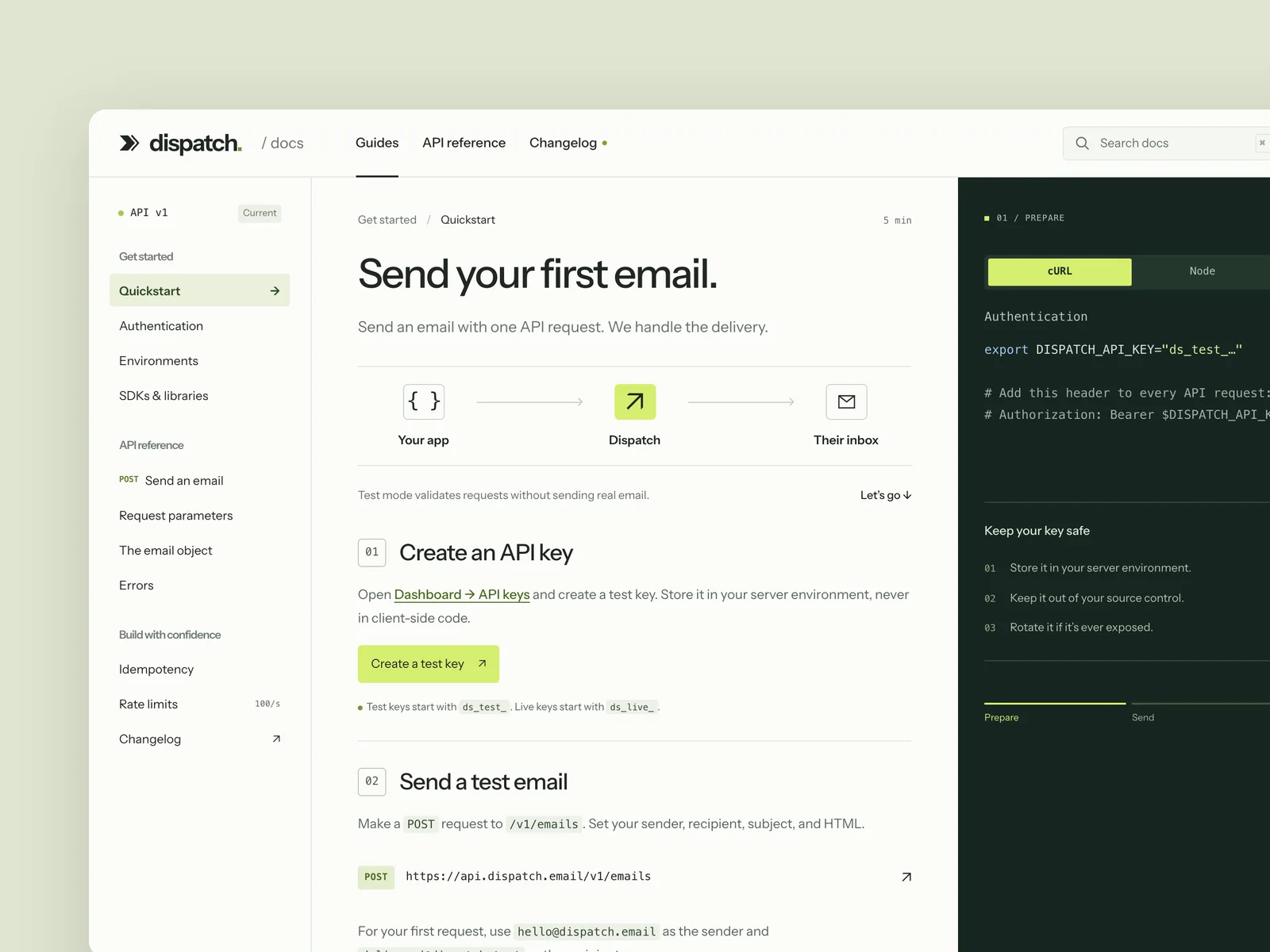
Dispatch
Developer API docs
The developer documentation site of a payments or messaging API company (from 1440×900, responsive down to 390 wide): navigation on the left, the article in the middle, and code samples on the right that switch between languages (cURL, Node, Python). It includes a quickstart, a full reference for one endpoint (parameter table, request and response examples, error codes), and search. While you read, the code samples follow the current section, and the chosen language is remembered across the site. Design the quickstart page, an endpoint reference page, and search open.
Inspect work & prompt →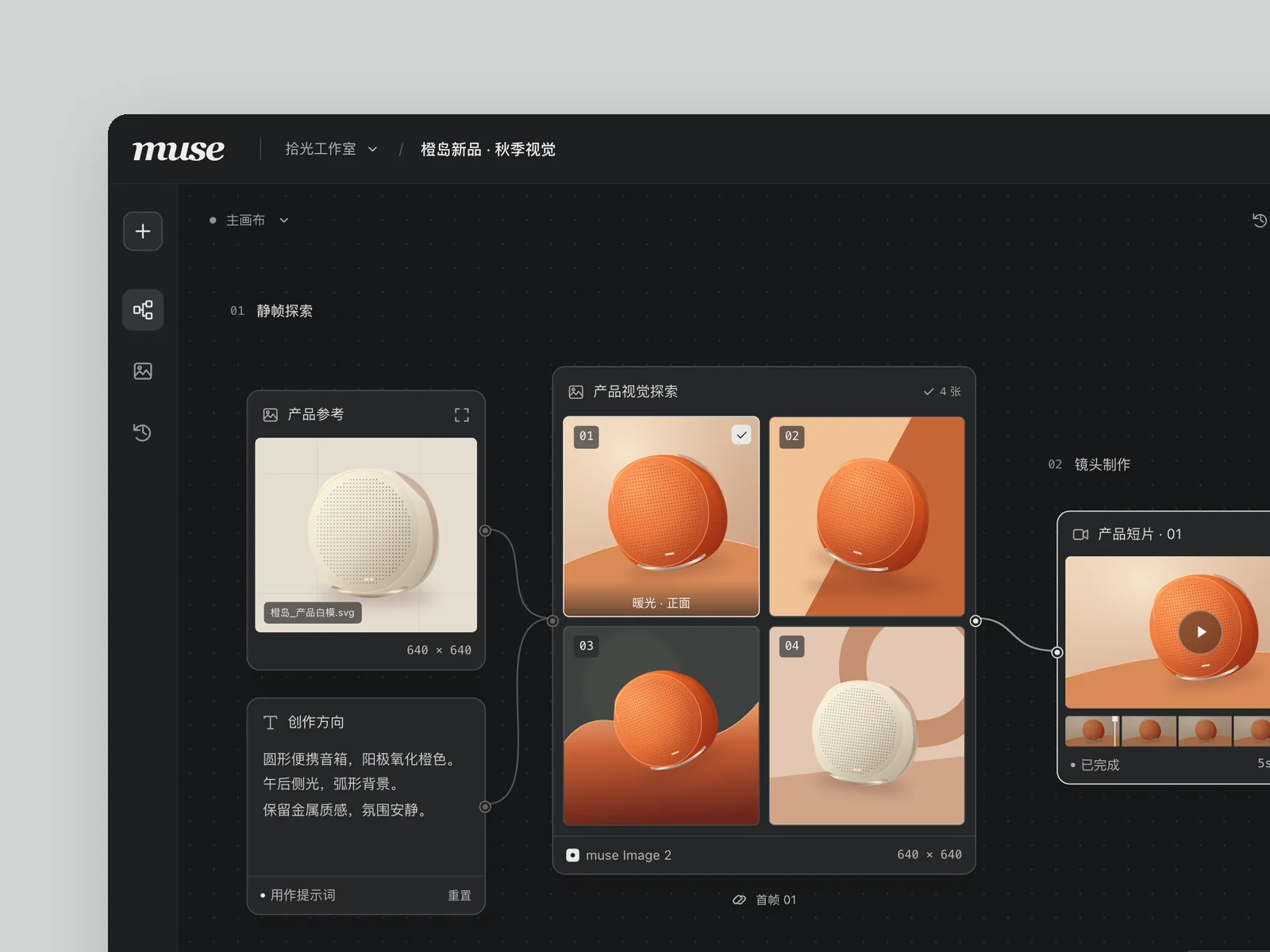
muse
AI image and video canvas
An AI image and video generation tool for designers and creative teams, with all prompts, reference images, and generated results on one infinite canvas. Build the main workspace.
Inspect work & prompt →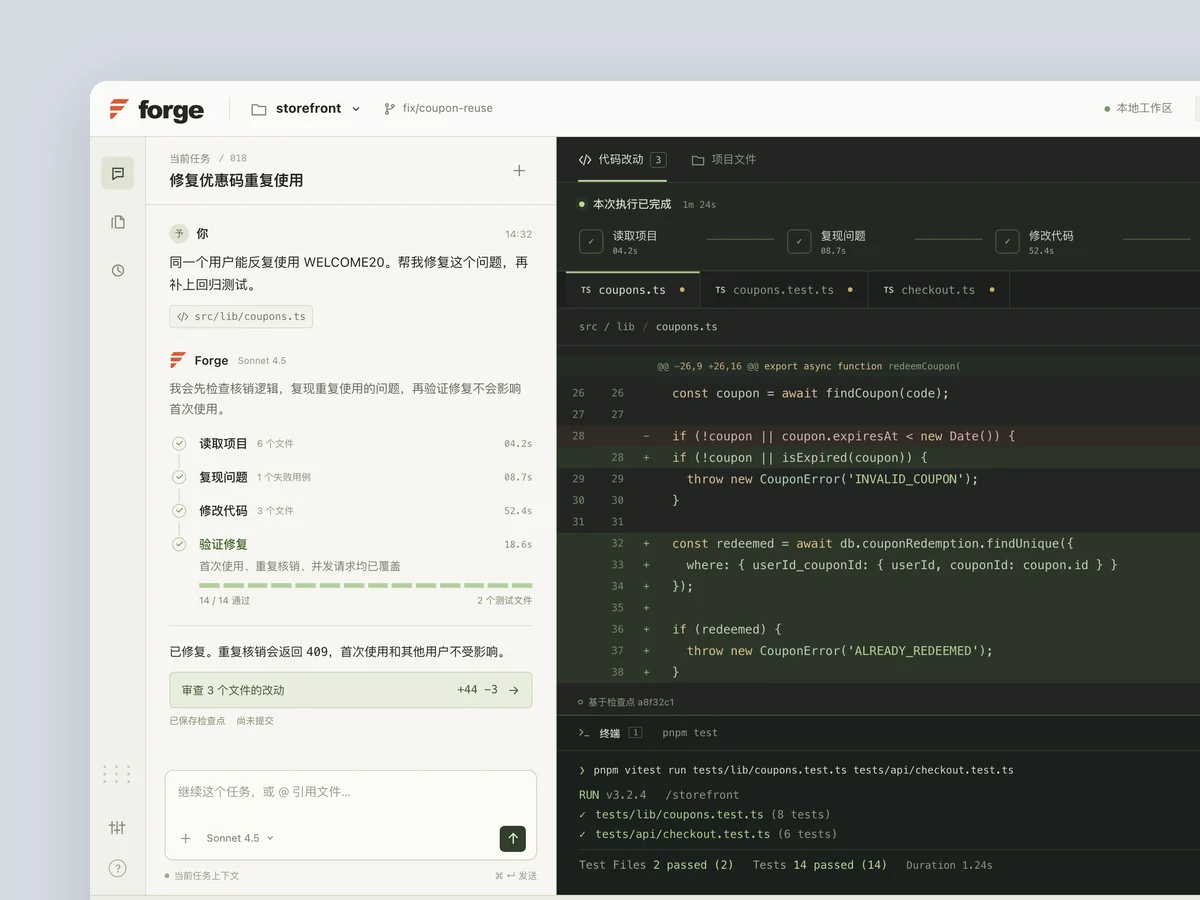
Forge
AI coding assistant
Product: Forge, a desktop AI coding assistant. A conversation sits on the left, with the code being edited and the terminal on the right. Users can watch it read files, edit code, and run tests step by step. Build its main interface (1440×900) with realistic data: filenames, diffs, and test output that look like a real project. Make the AI's work visible and memorable: steps light up one by one, diff lines appear progressively, and tests turn from red to green. Also capture a state where it is waiting for the user to confirm a risky change.
Inspect work & prompt →Start with the free skill; upgrade to Oil UI Pro when you want the full system
The open-source skill is free under the MIT license and covers category research, side-by-side direction boards, anti-slop checks and screenshot recreation. Upgrade to Oil UI Pro (one-time purchase, lifetime updates) when you need 3-tier existing-project renovation, 10 workspace archetypes, up to 3 rounds of blind review and single-component polish.
npx github:oil-oil/oil-cli install oil-ui-proCommon questions
Is Oil UI a monthly subscription or a one-time purchase?
The open-source Oil UI skill is completely free (MIT license). Oil UI Pro is a one-time purchase with lifetime updates and no token or per-generation fees. Check the /en/pro/ page for current pricing.
Can backend or full-stack engineers without formal design training use Oil UI effectively?
Yes—that is who Oil UI was built for. Instead of memorizing typographic jargon, you describe the user, the task and the real data fields. Oil UI guides the agent through direction boards, subtraction checklists and blind screenshot critiques.
How do product designers use Oil UI alongside Figma?
Designers use Oil UI to explore interactive directions with real data in minutes—especially for stateful behaviors like timeline scrubbing, live pricing calculators and multi-screen mobile flows—and to codify a repository DESIGN.md that keeps engineering PRs aligned.
Were all 100+ examples in the gallery built with this workflow?
Yes. Every piece in the gallery lists the exact AI model used (GPT 6.1 Sol, GPT 5.4, Claude Opus 5.5, Claude Sonnet 5.5, DeepSeek 4.1 Flash, etc.) and includes the full prompt and live interactive views.