
Using Oil UI in Cursor, Windsurf & IDE Coding Agents
Many developers build and refine interfaces right inside Cursor, Windsurf, Antigravity or Gemini CLI alongside their application code. Because Oil UI uses the open skill format, a single npx skills add oil-oil/oil-ui command equips these IDE agents with the same task-first workflow: explore directions, implement working states within your stack, and verify rendered screenshots.
Key takeaways
- One installer covers major coding agents: run npx skills add oil-oil/oil-ui and select Cursor, Windsurf, Claude Code or Codex.
- When refreshing screens inside an existing codebase, scope each prompt to a single page or user flow and list the props, hooks and routes that must remain untouched.
- For standalone UI modules (uploaders, checkouts, configurators), ask the agent to implement idle, active, completed and error states from the start.
- Have your IDE agent open the local dev server and inspect real 1440px and 390px browser screenshots instead of relying on code diffs alone.
npx skills add oil-oil/oil-uiSupports both project-scoped installation (shared with your team) and user-level installation.
Installing Oil UI Across IDE and CLI Agents
Whether you work in Cursor’s agent sidebar, Windsurf Cascade, Antigravity or a terminal agent, Oil UI provides the same design workflow and visual review checklists.
Run the interactive skill installer
Execute the command in your project root or terminal and select the coding agents you use day to day.
npx skills add oil-oil/oil-uiUse project-scoped install for team consistency
Choosing project scope places the skill inside your repository so every teammate’s IDE agent follows the same layout and review standards.
Invoke Oil UI explicitly in your prompt
Start UI prompts with "Use Oil UI to design..." or "Use Oil UI to refresh this screen..." so the agent runs the design workflow rather than patching styles ad hoc.
Four Habits for Designing Inside an Existing Codebase
The most common failure mode in an IDE agent is mixing backend plumbing and a full visual redesign in one sprawling prompt. Separating concerns keeps both code and layout clean:
- Scope to one self-contained module or task flow at a time
- Polish a single module end to end—like the Chute file upload module or KEEB mechanical keyboard configurator in the gallery—before moving to adjacent screens.
- State which data hooks and handlers are off-limits
- When updating a production React or Vue view, tell the agent: "Keep existing form state, API mutations and route params intact; only rework the layout, hierarchy and state feedback."
- Compare new directions on a scratch route before merging
- If a page needs a fresh visual direction, let the agent render 3 distinct options side by side first, then port the chosen direction into your main components.
- Always verify on localhost at desktop and mobile widths
- Before accepting a diff, have the agent open the running dev server and capture 1440px and 390px screenshots to catch overflow, cramped spacing or broken contrast.
Reusable Prompt for Polishing Modules in Cursor & Windsurf
Tag the target component file in your IDE chat and use this structure to get a complete, multi-state implementation:
Use Oil UI to design and implement [module name, e.g., our file-sharing upload module / product configurator] in this repository.
- Codebase constraints: Keep existing [hooks, props and API types] unchanged.
- Required states: Implement 1) default idle state, 2) active drag/input feedback, 3) progress and completed state (with copy/share confirmation), and 4) validation or limit error state.
- Visual discipline: Avoid nested card-in-card wrappers and decorative eyebrow pills. Establish hierarchy through typographic scale, spacing and clear focus states, then verify in the local browser.
Works well when referencing your existing component file in Cursor or Windsurf.
Working gallery examples & prompts
Open the live demos at 1440px or 390px to inspect how the model and prompt shaped the final interface.
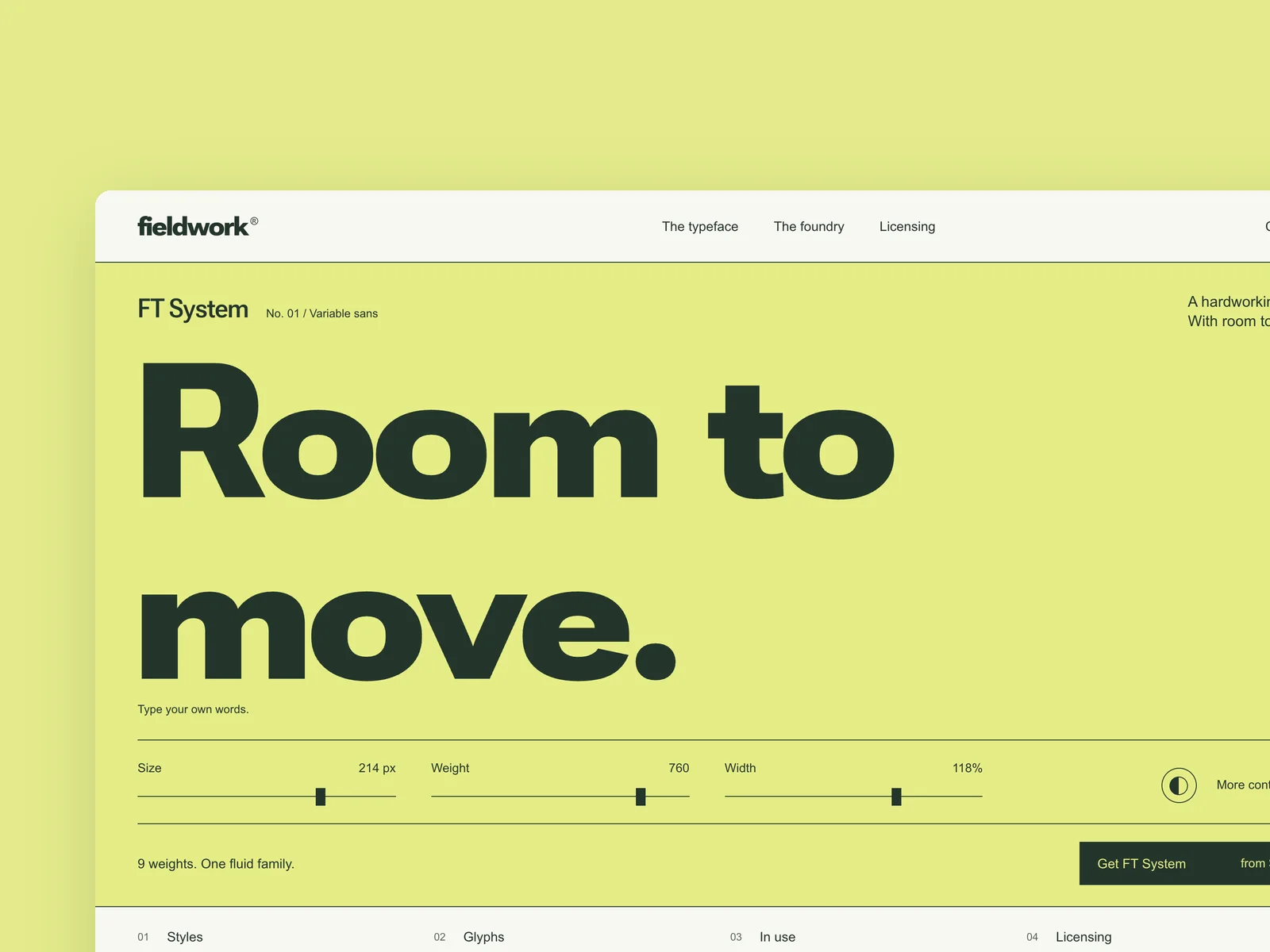
Fieldwork Type
Independent type foundry
The website of an independent type foundry (from 1440×900, responsive down to 390 wide). The first screen features a flagship typeface: visitors can type their own text and adjust size, weight and width. Further down: the family's weight chart, the character set, in-use examples, and licenses chosen by use (desktop, web, app) that can be added to the cart. The type tester and the license picker are the heart of this piece: the setting changes as you type, and the license price updates with every option. Design the first screen, the tester panel expanded, and license selection.
Inspect work & prompt →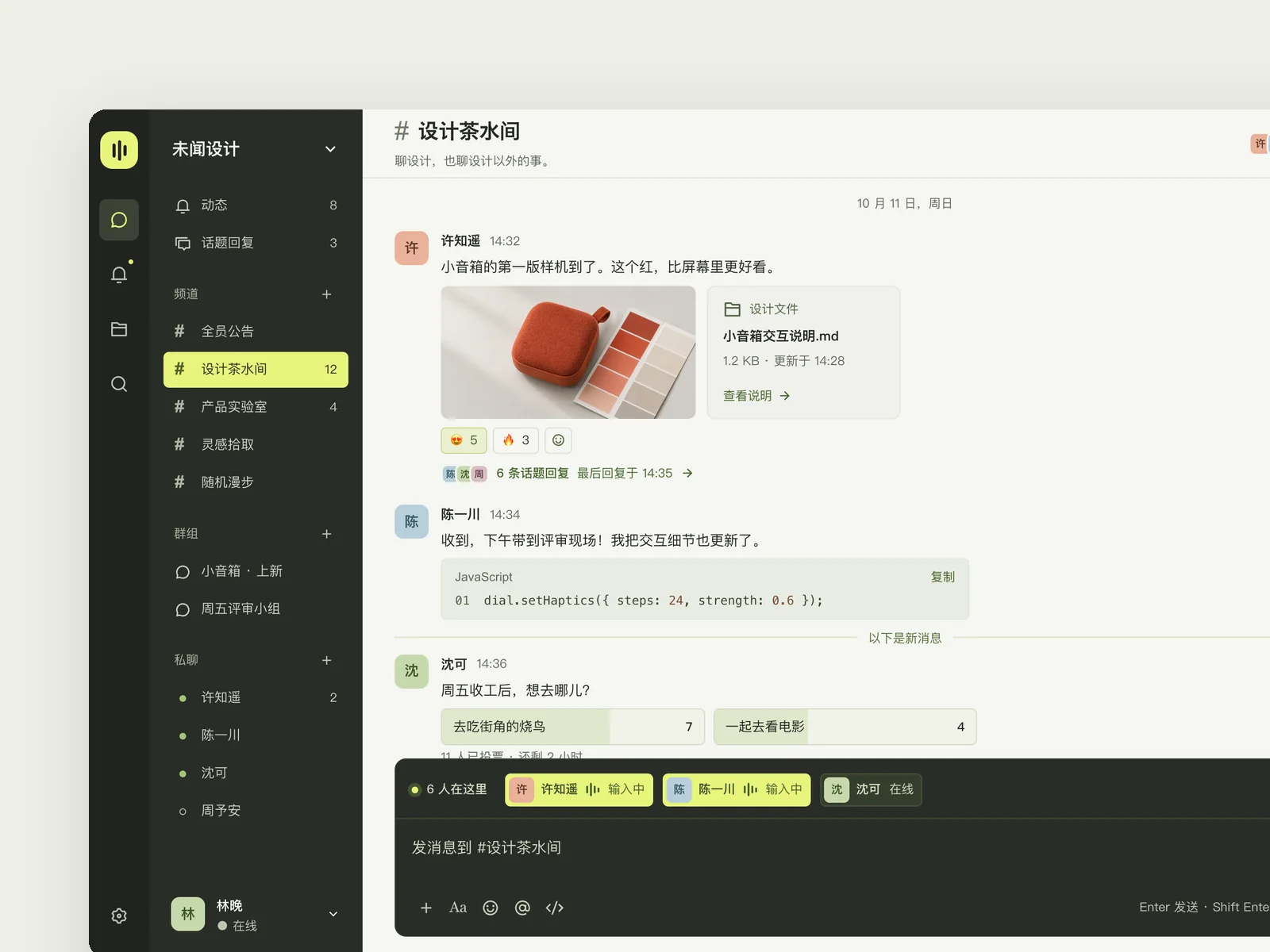
Sonar
Team messaging
A desktop messaging app for companies with 30–300 people (1440×900): channels, groups, and direct messages on the left, and the ongoing conversation in the middle. Messages include text, images, files, code snippets, polls, and emoji reactions. Use a Chinese interface. The sense of immediacy is the heart of this piece: sending a message, several colleagues typing at once, opening a thread on one message, and other people's replies and reactions appearing in real time should all feel smooth and have weight. Do not turn it into an email client or a task board. Design three states: everyday conversation in a busy channel; a thread opened on one message; mentioning a colleague in the input box and dropping in a file, ready to send.
Inspect work & prompt →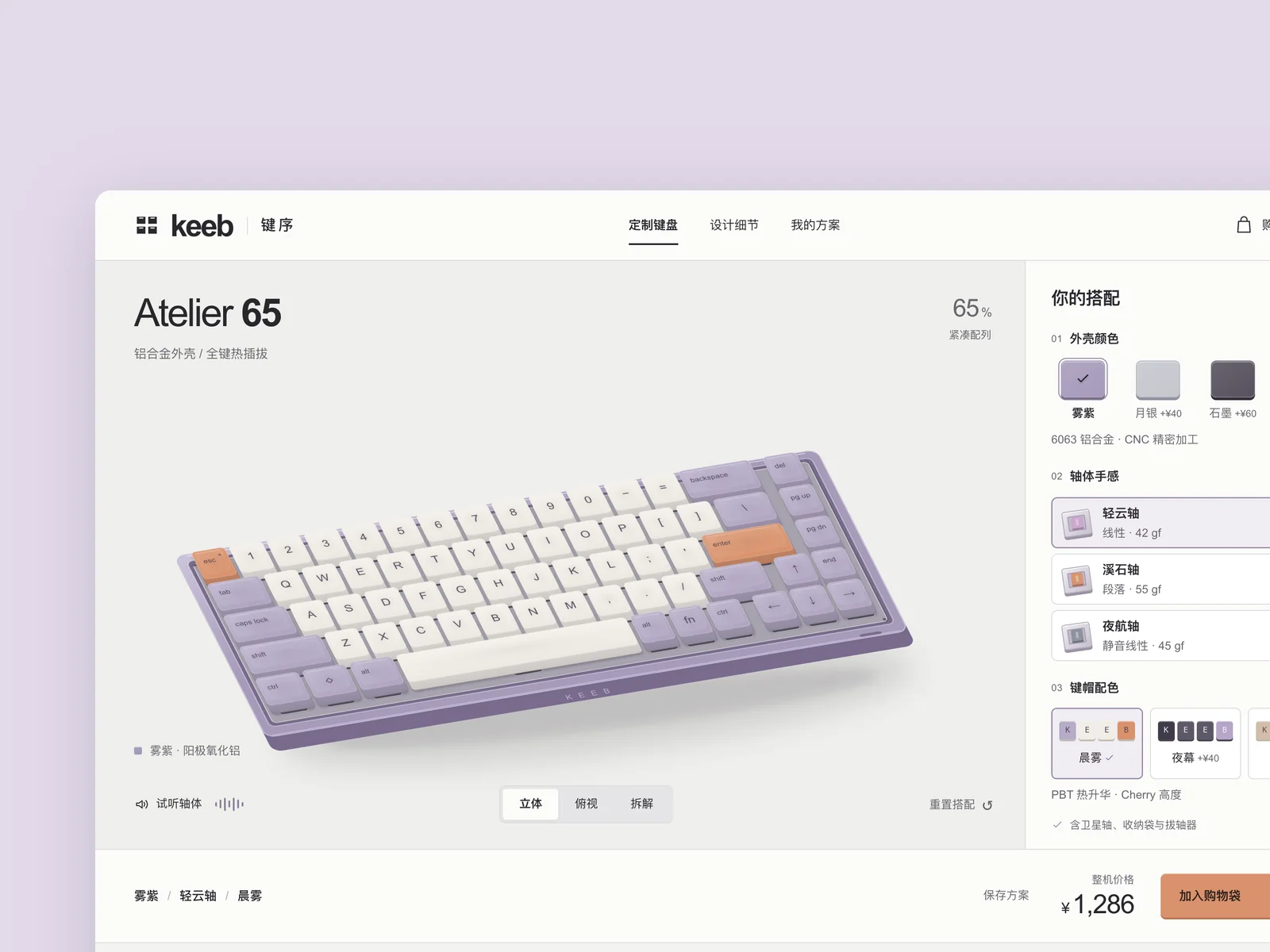
KEEB · Key Order
Mechanical keyboard configurator
A mechanical keyboard brand's website where users can choose a case, switches, and keycaps to customize their own keyboard online. Build the configurator page.
Inspect work & prompt →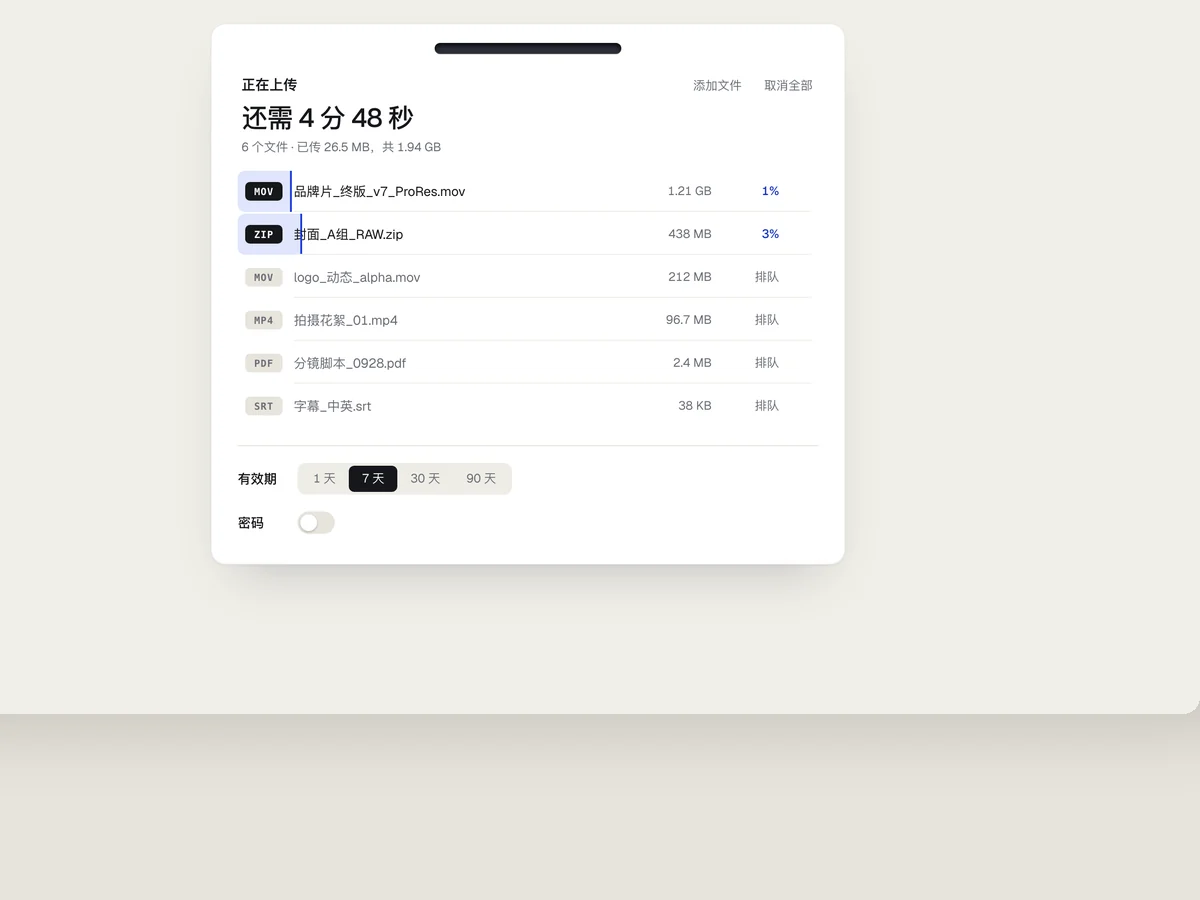
Chute
File upload module
The upload module of a file sharing tool (desktop 1440×900, with the module centered): drag in files, show upload progress, then generate a sharing link with an expiry date and password after upload. Give file drop feedback, simultaneous progress for multiple files, and the moment of copying a link a satisfying feel. Capture three states: dragging files in, uploading, and completed with sharing available.
Inspect work & prompt →Unlock existing-project renovation and component craft with Oil UI Pro
Oil UI Pro adds dedicated workflows for existing codebases—including annotated single-page diagnosis, a 3-tier renovation system (tidy up / upgrade / rework flow + DESIGN.md) and single-component extreme polish.
npx github:oil-oil/oil-cli install oil-ui-proCommon questions
Which model should I pick inside Cursor or Windsurf when using Oil UI?
Use Claude Opus or frontier GPT/Codex models when exploring new visual directions or restructuring complex pages. Once a direction or DESIGN.md is set, Claude Sonnet and faster models work well for rolling out states across sibling screens.
Does Oil UI work alongside shadcn/ui, Radix or Tailwind?
Yes. Primitive libraries provide accessible controls, while Oil UI governs page composition, visual hierarchy, direction exploration and anti-slop subtraction. They complement each other cleanly.
How do I make sure the agent does not break existing click handlers or form validation?
List the handlers to preserve in your prompt, and follow Oil UI’s walkthrough step: actually click through the primary flow and trigger an invalid form submission in the browser before finishing.
Can my team use Cursor and Claude Code / Codex on the same repository?
Yes. Select all relevant agents during npx skills add oil-oil/oil-ui or commit a shared DESIGN.md so every tool reads the same design rules.