Blind Date with a Book
Design summary
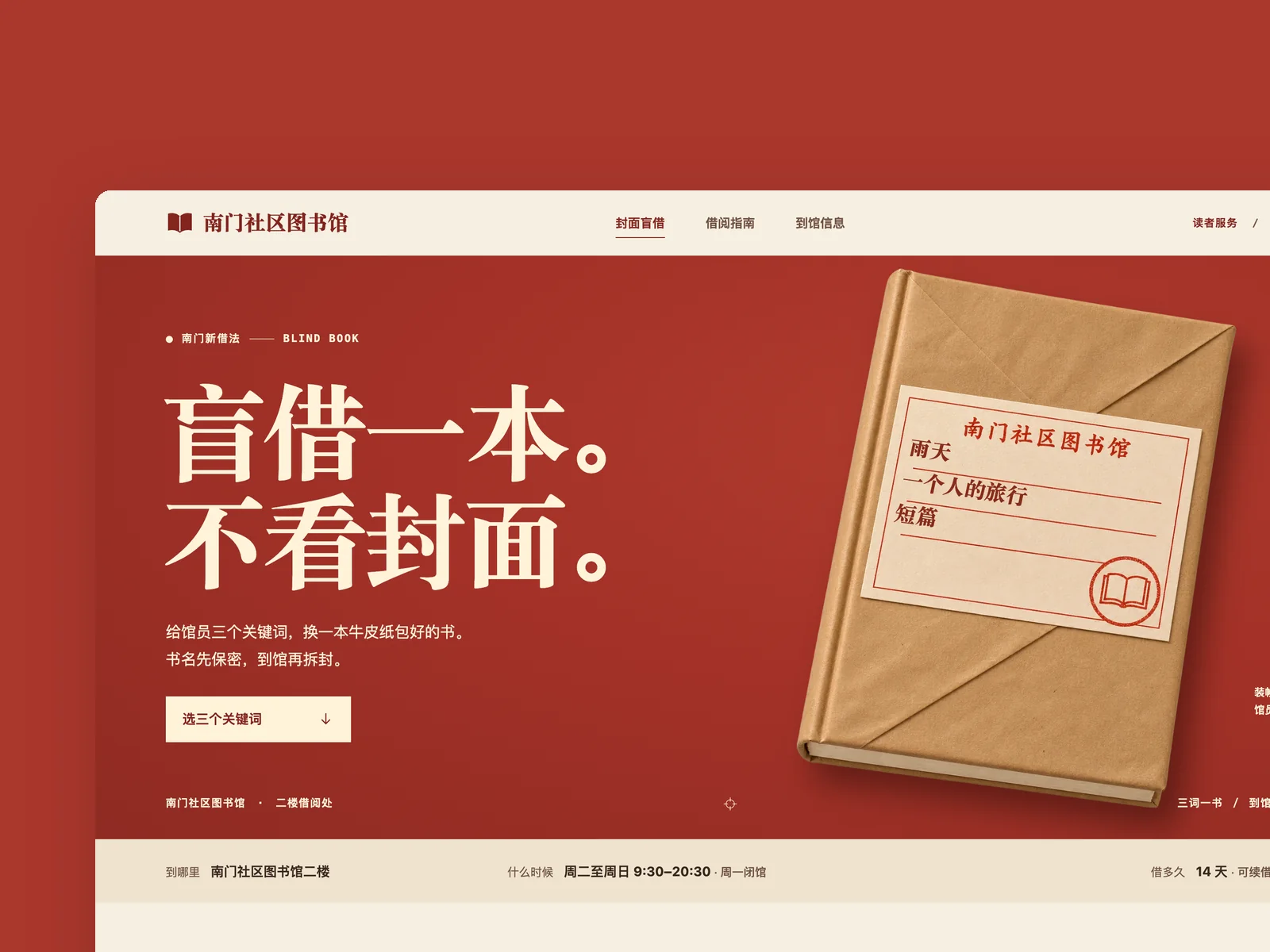
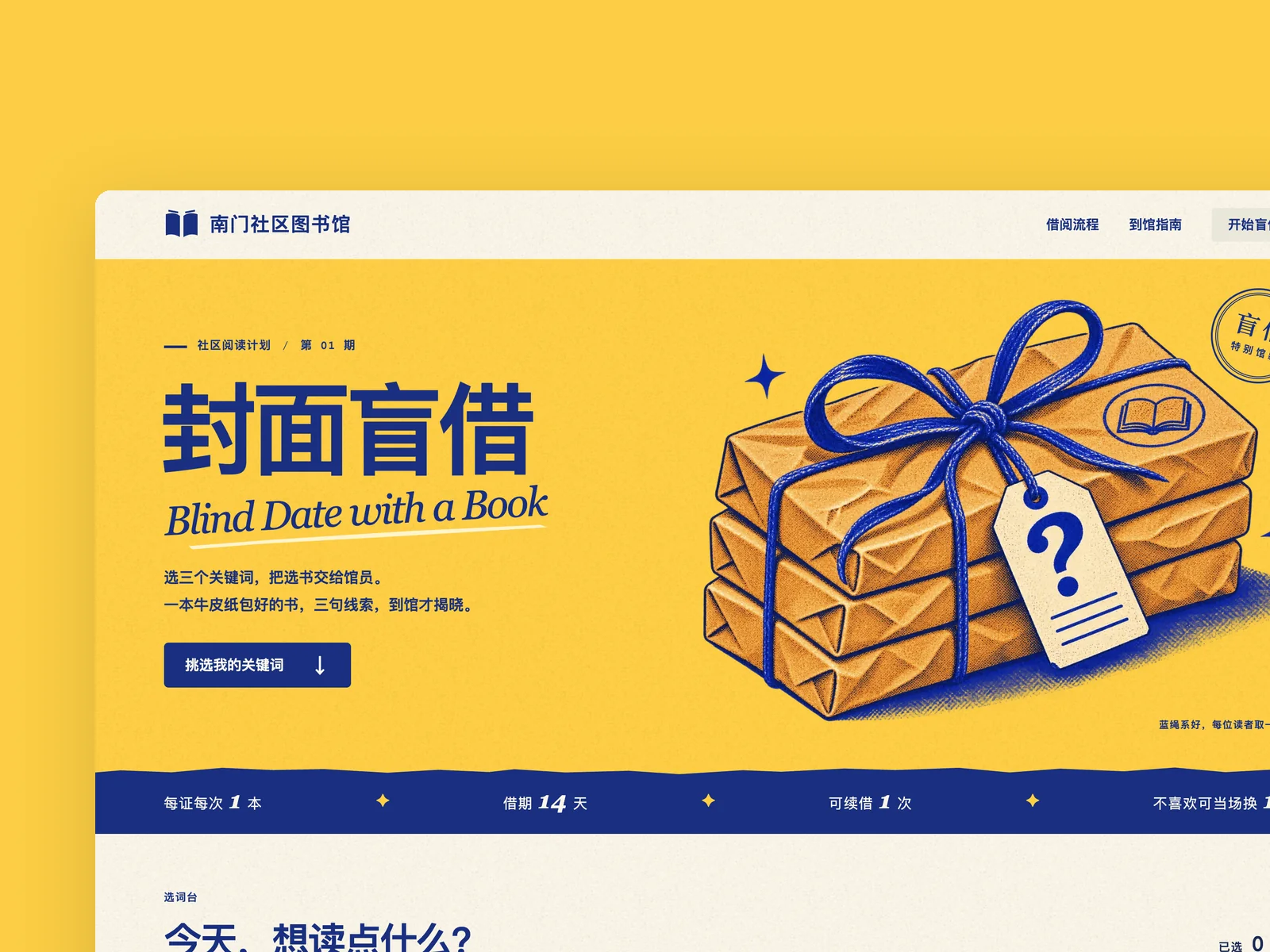
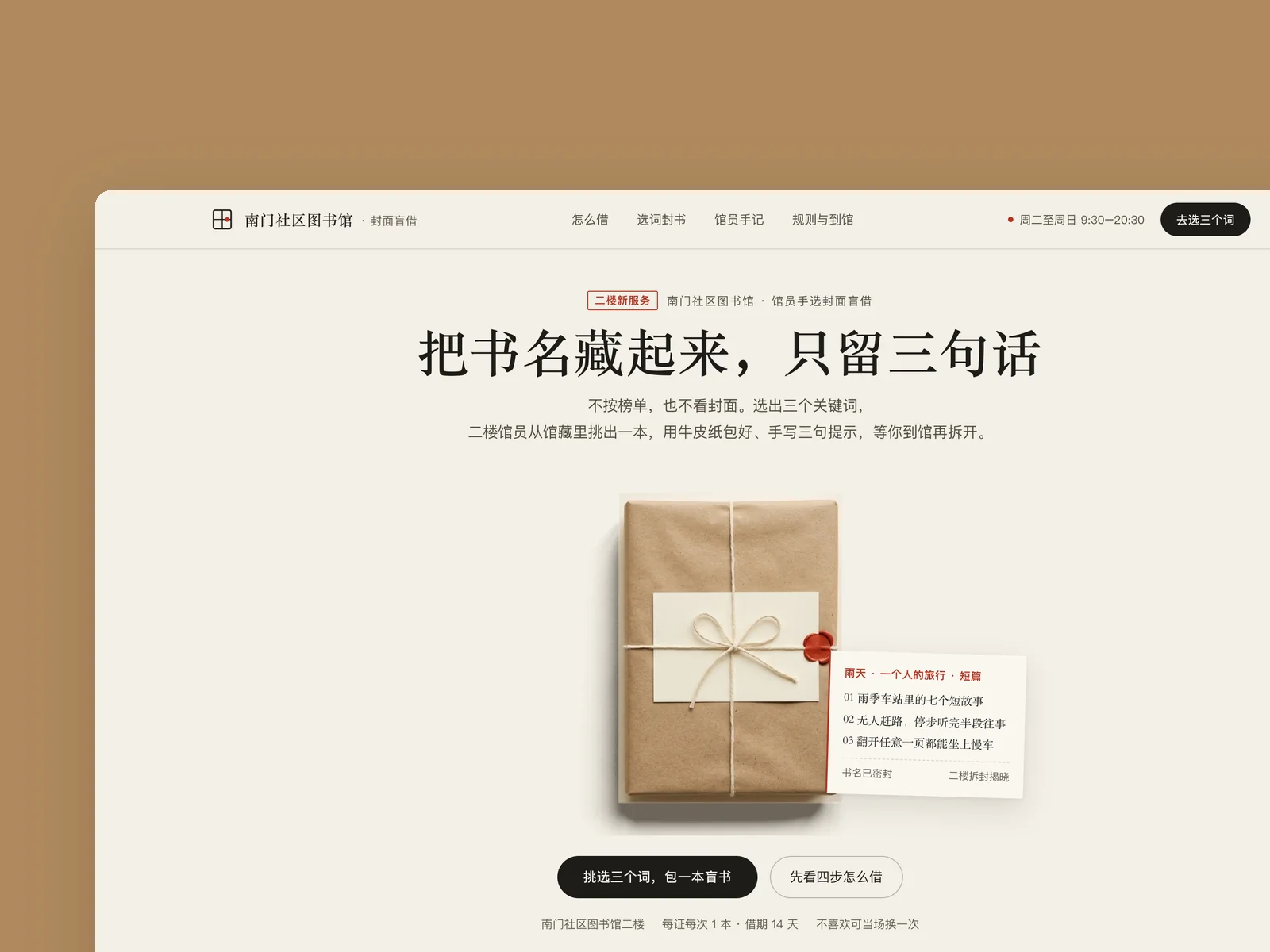
A launch page for the Nanmen Community Library's Blind Date with a Book service. The first screen centres on a kraft-wrapped book with three librarian notes tucked beside it; scrolling down, a four-step scroll story covers picking keywords, wrapping, booking and unwrapping on the second floor. In a dark-green workbench, picking three keywords wraps the book and reveals three spoiler-free hints, and booking prints a pickup slip with a red top rule whose code survives a refresh.
Verification
VerifiedThe first independent visual review scored 7/10, and a light UX walkthrough in the same round completed the main flow in a real browser; the skipped scroll steps, test-like copy in the form, mismatched book textures and awkward first-screen line breaks it raised were fixed, and final 1440×900 and 390×844 screenshot checks reported no remaining issues.
Verification boundaryFixes after the first review were checked by the maker with the screenshot tool and browser scripts, without a further independent review; booking is simulated locally and not connected to a library system; it was not tested on a physical phone.
Prompt
Make a launch page (in Chinese) for a community library's "Blind Date with a Book" service. Readers don't see the title; they pick three keywords (for example "rainy day", "travelling alone", "short stories"), a librarian chooses a book from the collection to match, wraps it in kraft paper and writes three hints on it, and readers only unwrap it when they collect it at the library.
The page should explain what the service is, how borrowing works (pick keywords, book a pickup, collect at the library, unwrap), the rules (one book per library card at a time, a 14-day loan, one renewal, and one swap on the spot if you don't like it), plus opening hours and address (2nd floor, Nanmen Community Library, Tuesday to Sunday 9:30–20:30, closed Mondays).
The page needs one part that really works: once a reader has picked three keywords from a set, they see what the book "wrapped" for them looks like and its three hints (without revealing the title), then book a date to collect it. Booking asks for a library card number and phone number and returns a pickup code after submission; it needs error messages for bad input, and must keep what was entered and allow a retry after a network failure.
Main desktop viewport 1440×900, also adapted to a 390×844 phone. Book list, hints and pickup codes are mock data.
View Chinese original
为一家社区图书馆做「封面盲借」服务的发布页(中文)。读者不看书名,只选三个关键词(例如“雨天”“一个人的旅行”“短篇”),馆员按关键词从馆藏里挑一本,用牛皮纸包好、写上三句提示,读者到馆取书时才拆开。
页面要讲清:这项服务是什么、怎么借(选词、预约、到馆取、拆封)、规则(每张借书证每次 1 本,借期 14 天,可续借一次,不喜欢可当场换一次),以及开放时间和地址(南门社区图书馆二楼,周二至周日 9:30–20:30,周一闭馆)。
页面上要有一处能真的操作的体验:读者从一组关键词里选满三个,就能看到为他“包好”的一本书的样子和三句提示(不揭示书名),再预约到馆取书的日期。预约要填借书证号和手机号,提交后给出取书码;要有填错时的提示,以及网络失败后保留已填内容、可以重试。
桌面主视口 1440×900,同时适配 390×844 手机。书目、提示语和取书码都是模拟数据。